Tesla fault codes are diagnostic trouble codes your vehicle generates when it detects an issue with a system or component. Understanding how to identify them is essential for maintaining your vehicle's health, especially if you're managing an out-of-warranty Tesla or evaluating a used model before purchase. These codes appear on your vehicle's touchscreen and provide critical information about electrical systems, battery management, firmware alerts, and other diagnostics that might otherwise go unnoticed until they become serious problems.
The challenge most Tesla owners face is that fault codes aren't always obvious. Your vehicle might run perfectly well with an active alert in the background, masking degradation that could cost thousands to repair if left unchecked. Identifying and addressing Tesla fault codes early can extend your vehicle's service life and help you avoid expensive repairs down the line.
At KMC Electric, we work with Tesla owners across Northamptonshire and Leicestershire who need to understand what their vehicle is telling them. Whether you're buying a used Model 3 with 80,000 miles on the clock or managing a vehicle nearing the end of its manufacturer warranty, knowing how to read these alerts puts you in control of your maintenance decisions.
Accessing Service Mode to View Diagnostic Trouble Codes
Service Mode is where Tesla stores its diagnostic trouble codes and system alerts. To access it, tap the Tesla logo (T) on the top-left corner of your touchscreen, then navigate to Controls → Service → Diagnostics. Service Mode isn't hidden or restricted for out-of-warranty vehicles; Tesla vehicles are designed to let owners access this information.
Within Service Mode, you'll find multiple diagnostic categories:
Alerts & DTCs Menu, displays active and historical diagnostic trouble codes
System Health, shows the status of major systems like battery management, electrical systems, and gateway modules
Firmware Version, displays the current software version running on various modules
Data Logging, tracks real-time sensor data and system performance
The alert history is particularly valuable, showing not just what's wrong now but what issues your vehicle has encountered in the past. This gives you a complete picture of reliability and helps identify patterns indicating developing problems.
When you first enter Service Mode, alerts are colour-coded. Understanding these severity levels is essential to making sense of what you're seeing.
Common Tesla Alert Codes and What They Mean
Tesla uses a hierarchical system for alert severity. Informational icons appear in grey and represent non-critical notifications. Warning alerts appear in yellow and indicate issues needing attention but aren't immediately dangerous. Critical failures appear in red and require urgent repair.
Common codes include battery management system alerts, which indicate issues with cell balancing, thermal management, or charge acceptance. Air suspension faults are frequent on older Model S vehicles and typically relate to compressor or valve problems. Electrical system alerts might flag issues with the 12-volt battery, high-voltage contactors, or charging systems.
Gateway module faults are particularly important. The gateway module acts as a communication hub between different vehicle systems. When it fails, your vehicle may lose the ability to communicate with charging networks or service centres. This code benefits from professional diagnosis because the root cause isn't always obvious.
Firmware alerts indicate that a software module needs updating or has encountered an error. These range from minor to serious depending on which module is affected. A firmware alert on the infotainment system is less critical than one on the battery management system or motor controller.
The real value in recognising these codes early is that many can be resolved before they escalate. A battery management system alert that starts as a minor imbalance notification can become a serious degradation issue if ignored.
Reading Your Vehicle Diagnostics Through the Touchscreen Interface
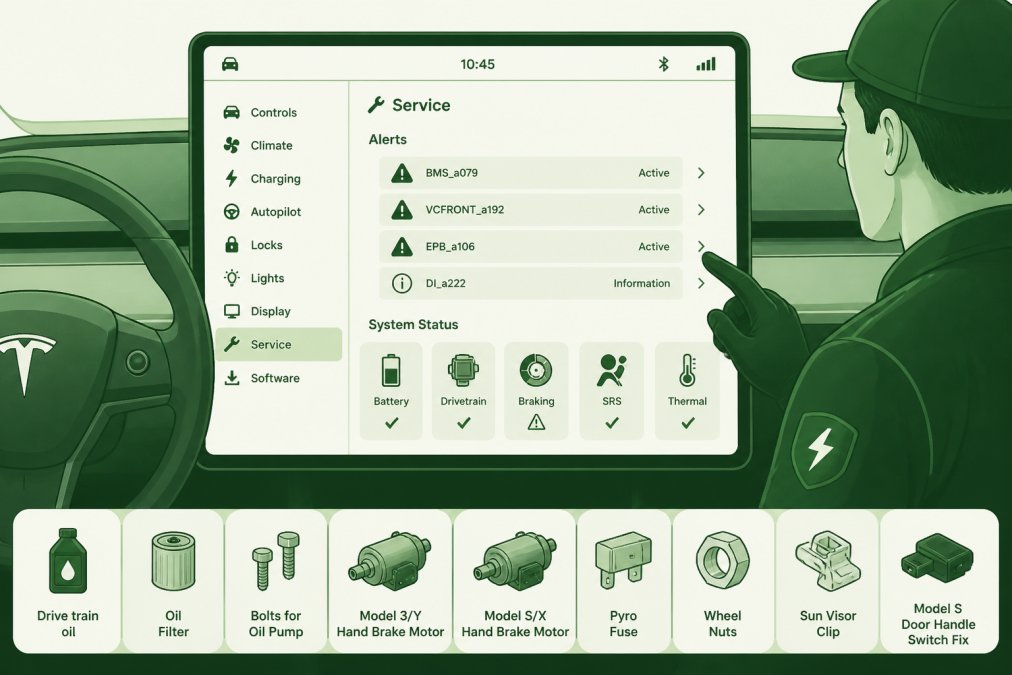
Your Tesla's touchscreen interface displays diagnostics in a way designed to be accessible, but interpreting the data requires understanding what you're looking at. When you navigate to the Diagnostics section, you'll see real-time monitoring of multiple vehicle systems alongside historical alert logs.
Professional illustration showing Tesla fault codes
The touchscreen shows vehicle health status broken down by system: battery management system status, electrical system health, thermal management performance, and communication module status. Each system displays its current state as normal, warning, or fault. You can tap into each system to see more granular information about what's happening beneath the surface.
Real-time monitoring shows live data from your vehicle's sensors. Battery voltage, cell temperatures, charging current, and motor performance are all visible if you know where to look. This data helps you understand whether an alert is a one-off anomaly or a persistent problem.
The touchscreen also displays your vehicle's software versions for each module. Firmware version compatibility matters because Tesla periodically releases updates that address known issues, improve performance, or patch vulnerabilities. If your vehicle is running older firmware versions on critical modules, that might explain certain alerts or performance quirks.
For owners in the Kettering area or across Northamptonshire evaluating a used Tesla, the ability to read this data on the touchscreen is invaluable. You can spend 10 minutes in Service Mode and understand far more about a vehicle's condition than you'd learn from a standard pre-purchase inspection.
Tesla Diagnostic Tools for Owners: Hardware and Software Options
Beyond the touchscreen interface, hardware and software options are available to owners who want deeper diagnostic access. Understanding which tools are appropriate for DIY diagnosis versus professional repair is important.
Software tools interface for Automotive, OBD, CAN for Tesla fault codes
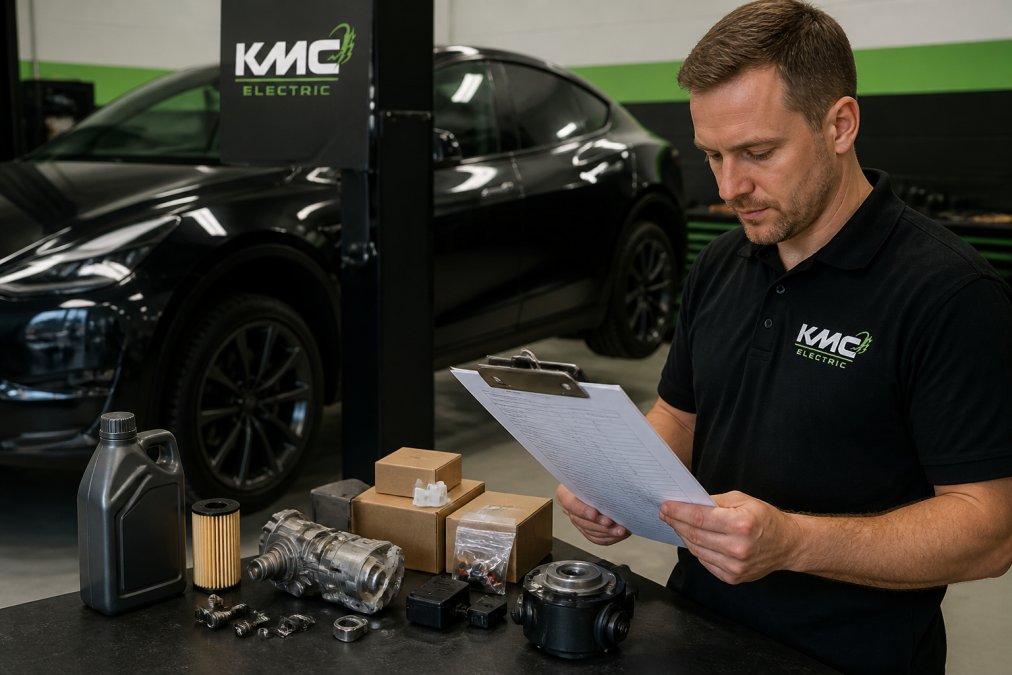
The most common hardware tool is an OBD-II adapter cable, which connects to your vehicle's diagnostic port and allows external diagnostic software to read fault codes directly from the vehicle's CAN bus. The CAN bus is the communication network linking all of your vehicle's electronic modules. By tapping into this, you can access the same data your Tesla sees, but with more detailed logging and analysis capabilities.
Several third-party diagnostic software packages are available for Tesla owners, focusing on real-time data logging, performance monitoring, fault code interpretation, and troubleshooting. The quality and accuracy of these tools varies significantly.
A critical point: external diagnostic hardware and software can show you what's happening with your vehicle, but interpreting that data correctly requires technical knowledge. A fault code on the CAN bus might have multiple possible root causes. Without understanding your vehicle's electrical architecture and how systems interact, you might misdiagnose the problem.
This is where the distinction between reading fault codes and fixing them becomes important. You can absolutely access and read your vehicle's diagnostic trouble codes using hardware and software tools. Whether you should attempt to fix the underlying problem is a different question entirely.
For Tesla owners in Northamptonshire looking to understand their vehicle's health before warranty expiry or before purchasing a used model, basic diagnostic reading is helpful. For owners attempting to repair issues themselves, professional guidance is strongly recommended, especially for battery management system faults, electrical issues, or firmware problems.
DIY vs. Professional Repair: When to Seek Specialist Help
The decision to tackle a fault code yourself or seek professional help depends on the severity of the code, your technical experience, and the complexity of the underlying system. Some alerts are genuinely DIY-friendly; others require specialist equipment and expertise.
Informational codes and low-severity warnings are often safe territory for owner investigation. A 12-volt battery alert, for example, might simply mean your auxiliary battery is ageing and needs replacement. Firmware update notifications are also typically straightforward.
The line gets drawn quickly when you move into electrical system faults, battery management issues, or gateway module problems. These systems are interconnected in ways that aren't immediately obvious. A battery management system alert might stem from a faulty cell, a thermal management issue, a charging system problem, or even a firmware bug. Misdiagnosing the root cause could lead to unnecessary parts replacement or damage to other systems.
Critical failure codes absolutely demand professional attention. A red alert on your touchscreen is Tesla's way of saying "stop, get help." Ignoring critical codes risks vehicle safety, warranty complications, and escalating repair costs.
For Tesla owners in the Kettering area or across the Midlands, independent specialists like KMC Electric offer a middle ground. You get professional diagnosis and repair without the main dealer markup. Specialists can often identify and fix issues more cost-effectively than franchised dealers, particularly for out-of-warranty vehicles where you have more flexibility in choosing your service provider.
Safety and Warranty Implications of Tesla Fault Codes
Ignoring active fault codes carries both safety and financial risk. From a safety perspective, some codes indicate issues that could affect your vehicle's ability to stop, steer, or manage thermal runaway. Battery management system faults, for example, might indicate that your vehicle can't properly balance cell voltages or manage temperature. Driving with an active battery fault increases the risk of unexpected power loss or thermal events.
From a warranty perspective, the implications depend on whether your vehicle is still under manufacturer coverage. If you're within the warranty period and you ignore a fault code that causes further damage, Tesla might deny warranty coverage for the resulting repairs. Conversely, if you have a fault code diagnosed and repaired by an independent specialist before warranty expiry, you're protecting yourself by documenting the issue and addressing it proactively.
For used vehicle buyers, fault codes are a critical due diligence check. A vehicle with active or recent critical codes might seem like a bargain, but you could be inheriting expensive repairs. This is why independent battery health verification is so valuable when buying a used Tesla.
Warranty implications also extend to repairs performed by non-Tesla service providers. Choosing a specialist with deep Tesla knowledge, someone who understands the interconnected nature of vehicle systems, matters. At KMC Electric, we have Level 4 Master Technician status in electric vehicles and over 25 years of automotive experience, which means we understand how to repair Tesla systems without creating downstream problems.
The safest approach is to address fault codes before they escalate. A code caught early is usually cheaper and simpler to fix than the same code left to develop into a system failure.
Conclusion
Identifying Tesla fault codes is a skill that puts you in control of your vehicle's maintenance and protects you from unexpected repair bills. Whether you're reading codes on your touchscreen, accessing diagnostic data through external hardware, or deciding when to seek professional help, understanding what your vehicle is telling you is the first step toward making informed decisions about your Tesla's care.
Not all fault codes require the same response. Some are genuinely straightforward; others demand professional expertise. The key is knowing the difference and acting accordingly. For Tesla owners in Kettering and across Northamptonshire, whether you're managing an out-of-warranty vehicle, evaluating a used purchase, or protecting your investment before warranty expiry, professional diagnostic support ensures you're not flying blind.
KMC Electric specialises in precisely this kind of work. With Level 4 Master Technician status in electric vehicles and over 25 years of automotive experience, we help owners and dealership managers understand their Tesla's health, identify genuine problems before they become expensive repairs, and make confident decisions about maintenance and repairs. If you've spotted a fault code and aren't sure what it means or what to do about it, get in touch for a professional diagnostic assessment.
Frequently Asked Questions
How do I see error codes in my Tesla?
Access your Tesla fault codes through the touchscreen by navigating to Controls > Service > Alerts & DTCs. This displays active and recent diagnostic trouble codes. You can also check the mobile app under Vehicle Status for real-time system notifications. For a comprehensive view of your vehicle's health, especially if your warranty is expiring, professional diagnostic software provides deeper data logging and alert history analysis.
What do different Tesla alert severity levels mean?
Tesla uses colour-coded alert levels to indicate urgency. Red or critical alerts require immediate attention and may trigger system power reduction to protect your vehicle. Yellow or warning alerts suggest monitoring or scheduling service soon. Green or informational icons indicate non-urgent system updates or maintenance reminders. Understanding these levels helps you prioritise repairs and avoid driving with undiagnosed electrical system faults that could worsen battery management system performance.
Can I clear Tesla fault codes myself after a software update?
Some informational codes clear automatically after software updates, but diagnostic trouble codes related to hardware faults require proper troubleshooting. Attempting to clear codes without addressing the underlying issue risks missing critical failures. Firmware version compatibility also matters—updates sometimes resolve known issues. If codes persist after an update, professional diagnostic software can identify whether the fault is genuine or a sensor anomaly, saving you from unnecessary repairs.
When should I contact a specialist for Tesla fault code diagnosis?
Contact a specialist immediately if you see critical alerts, experience system power reduction, or notice battery management system warnings. For out-of-warranty vehicles or independent battery health assessments before purchasing a used Tesla, professional diagnosis is essential. If you're unsure whether a code indicates a real problem or a minor sensor glitch, an independent specialist can review your vehicle's data logging and alert history to confirm whether repair is needed before your warranty expires.