How to Check Used Tesla Battery Health: Key Methods Explained
Learning how to check used Tesla battery health is critical when buying a second-hand Tesla. The battery pack represents the largest component cost in any electric vehicle, and its condition directly determines whether you're getting a bargain or inheriting a costly problem. This guide walks you through every practical method available to assess battery health, from touchscreen diagnostics to professional tools.
Pro TipMost buyers skip battery diagnostics entirely, assuming "if it drives, it's fine." A battery showing early degradation may still function perfectly for another 100,000 miles, or fail within 12 months. The difference is detectable with the right checks.
Why Battery Health Matters When Buying Used
A Tesla battery isn't like a traditional petrol engine that gradually loses power. It's a complex electrochemical system with a finite lifespan measured in charge cycles. A Tesla that feels responsive might have a battery degraded to 70% of original capacity, meaning 30% less range than the original owner experienced.
UK winters are particularly harsh on battery chemistry, reducing effective range by 20-40% even on healthy batteries. Poor charging habits accelerate degradation significantly. Original Tesla battery replacements typically cost £8,000 to £15,000 depending on model and pack size. Understanding your battery's true state prevents purchasing what seems like a bargain only to face a replacement pack within two years.
What You'll Need Before Starting
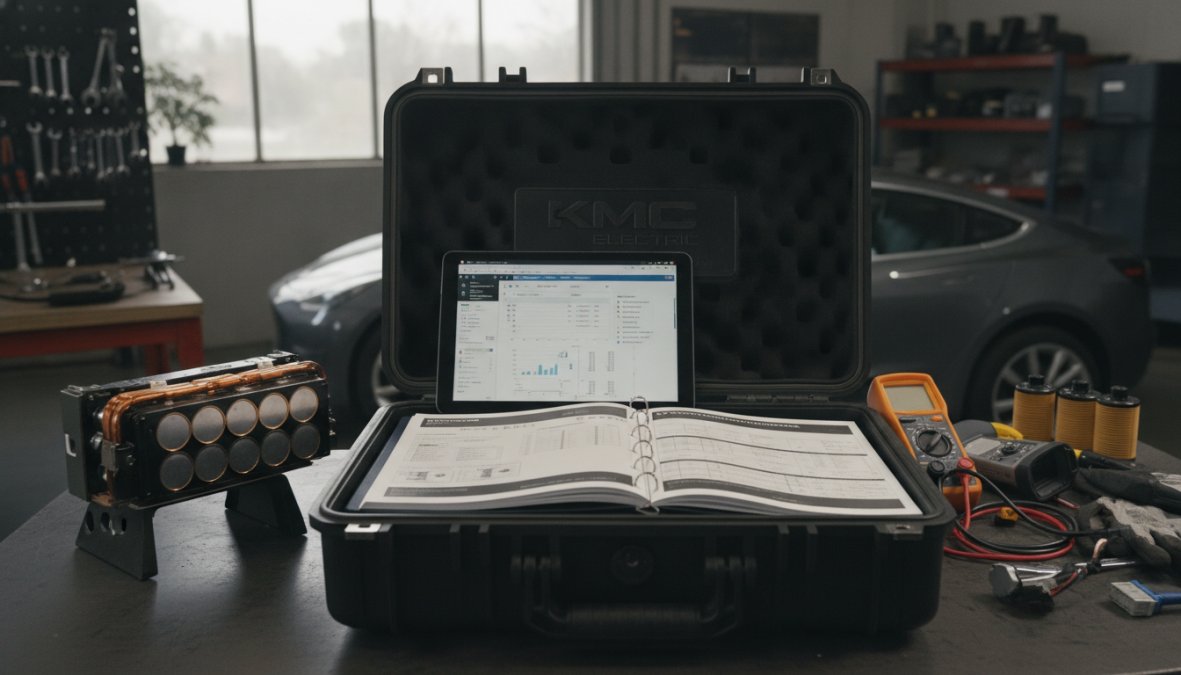
Before beginning any battery health check, gather these tools:
The Tesla vehicle itself with sufficient charge to run diagnostics
Access to the vehicle's touchscreen and service menu
The vehicle's full service history and charging records (if available)
A smartphone with the Tesla app installed
Optional: an OBDII scanner with Tesla-compatible software (£50-£150)
Understanding Tesla Battery Degradation in Used Vehicles
Tesla batteries degrade predictably based on three factors: model type, charging habits, and climate exposure. Most Tesla owners see 2-3% battery capacity loss in the first year, then the rate stabilises. After five years, a well-maintained Tesla typically shows 10-15% total capacity loss.
Model-Specific Degradation Curves
Different Tesla models experience different degradation patterns. Model 3 and Model Y vehicles with LFP (lithium iron phosphate) batteries, introduced in 2023, show significantly slower degradation than earlier NCA (nickel cobalt aluminium) batteries. An LFP battery typically loses only 5-8% capacity over five years, while an older NCA battery from a 2018 Model 3 might show 15-20% loss over the same period.
When evaluating a used Tesla, knowing which battery chemistry it contains changes your expectations dramatically. A 2023 Model Y showing 95% capacity is normal. A 2018 Model 3 showing 95% capacity is exceptional and suggests extraordinary care.
How Charging Habits Impact Long-Term Battery Health
Charging behaviour is the single biggest controllable factor regarding battery longevity. A Tesla charged to 80% daily and supercharged occasionally will outlast an identical vehicle charged to 100% daily and supercharged constantly, sometimes by several years.
Lithium-ion batteries degrade faster at high state of charge. Keeping a battery between 20% and 80% SOC minimises stress on the cells. When inspecting a used Tesla, ask the seller about their charging habits. You can infer charging patterns from mileage versus age: a three-year-old Model 3 with 120,000 miles likely spent significant time supercharging, while the same vehicle with 35,000 miles probably charged at home most nights.
Key TakeawayBattery degradation follows predictable patterns based on model, battery chemistry, age, and charging behaviour. Understanding these patterns helps you interpret diagnostic data correctly.
Step 1: Check Range on the Touchscreen Display
The touchscreen is your first diagnostic tool and is always available. Every Tesla displays real-time battery information on the main screen.
Reading State of Charge and Estimated Range
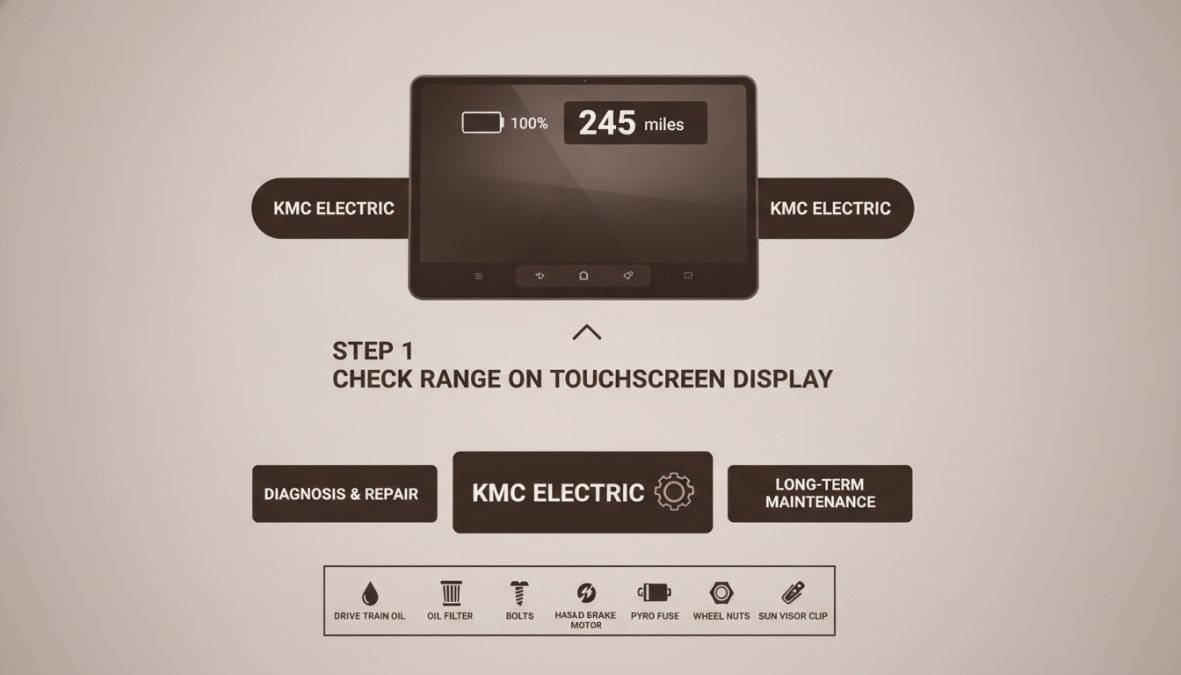
Start with the vehicle fully charged. Look at the battery icon in the top-right corner showing current state of charge (SOC) as a percentage. Below that, you'll see "estimated range" displayed in miles.
Divide the estimated range by the state of charge percentage. For a Model 3 Standard Range Plus (original EPA range 263 miles), a fully charged battery showing 250 miles of estimated range suggests healthy capacity. The same vehicle showing 180 miles suggests significant degradation.
Close-up of a Tesla Model 3 touchscreen display showing battery percentage at 100%, estimated range of 245 miles in white text, and the battery icon in the status bar
Comparing Original vs. Current Capacity in kWh
The touchscreen displays usable battery capacity in kilowatt-hours (kWh) through the service menu. Swipe down from the top of the touchscreen to access Controls. Navigate to Service, then Battery. The screen displays current usable capacity in kWh. Compare this to the vehicle's original capacity when new.
A Model 3 Standard Range Plus originally came with approximately 54 kWh of usable capacity. If the vehicle now shows 48 kWh, that's roughly 11% capacity loss, within normal range for a five-year-old vehicle. The same vehicle showing 38 kWh suggests severe abuse or excessive charge cycles.
Watch OutDon't trust estimated range alone. A vehicle showing 200 miles of estimated range could have a healthy battery in cold weather, or a degraded battery in warm weather. Always cross-reference with the kWh display and the vehicle's age and mileage.
Step 2: Run the Built-In Tesla Service Mode Battery Test
The Tesla service menu contains a dedicated battery health test providing deeper diagnostic information than the standard display.
Accessing Service Mode on Your Model
With the car in Park and the brake pressed, navigate to Controls > Service > Battery. You may need to hold down the scroll wheel on the steering stalk for several seconds to unlock the service menu.
Once in service mode, the screen displays current capacity in kWh, maximum capacity in kWh, voltage and current readings, cell temperature, and charge cycles. The charge cycle count is particularly valuable. Tesla batteries are rated for approximately 1,000 to 1,500 full charge cycles before reaching 80% of original capacity. A three-year-old Model 3 with 80,000 miles should show between 400 and 600 charge cycles. If it shows 1,200 cycles, the owner relied heavily on supercharging.
Interpreting Battery Management System (BMS) Data
Look for the "battery health" percentage displayed in service mode. A battery showing 95% health has retained approximately 95% of its original capacity. One showing 80% health has degraded to 80% of original capacity.
Also check voltage readings. A healthy battery pack maintains consistent voltage across all cells. Significant voltage imbalances suggest the BMS is working harder to compensate. Temperature readings matter too. If the battery shows elevated temperatures (above 40°C) while parked and unplugged, the thermal management system may be struggling.
Pro TipThe charge cycle count is the single best predictor of future battery degradation. If a vehicle shows unusually high cycle counts relative to its age and mileage, expect faster degradation going forward.
Step 3: Perform a Test Drive Battery Check
Diagnostics on a parked car reveal current state. A test drive reveals how the battery performs under load.
Real-World Range Testing Under Different Conditions
Before the test drive, charge the vehicle to 100% and note the estimated range. Drive a fixed distance (10 miles is ideal) at consistent speed on a motorway. Then check the estimated range again.
The difference divided by the distance driven gives you actual consumption per mile. Compare this to the vehicle's EPA rating. A Model 3 Standard Range Plus is rated at approximately 0.24 kWh per mile. If your test drive shows 0.28 kWh per mile or higher, the battery is either degraded or driving conditions were inefficient.
Repeat the test in different conditions: city traffic and motorway. Consistent consumption across conditions suggests a healthy battery. Dramatic swings suggest the battery management system is struggling with temperature regulation.
Climate Impact on Range Estimates
Cold temperatures reduce effective range by 20-40% compared to temperate conditions. When evaluating a used Tesla during winter months, assume the estimated range you see is pessimistic. Ask the seller for range data from multiple seasons for the most accurate assessment.
Tesla Battery Health Check Tools and Diagnostics
Beyond built-in diagnostics, several third-party tools provide deeper insights into battery condition.
Third-Party Diagnostic Apps and Scanners
The Tesla app itself displays more information than many buyers realise. Open the app, tap the battery icon, and you'll see current state of charge, estimated range, and charging status.
Several independent developers have created advanced diagnostic apps connecting to the Tesla's onboard diagnostics port via Bluetooth, displaying detailed cell voltage data, temperature sensors, and historical charge patterns. Popular options include Tesla Toolbox and TeslaFi, costing between £30 and £150. These apps can identify individual cells underperforming or temperature sensors failing. Widespread voltage imbalances across many cells suggest faster aging.
Using OBDII Scanners Safely
An OBDII scanner connects to your vehicle's diagnostic port (under the steering wheel on most Teslas) and reads fault codes and live data. For battery diagnostics, it can reveal whether the BMS has logged any fault codes related to battery health or charging system failures.
Using an OBDII scanner is safe, it's read-only and doesn't modify vehicle settings. You need one specifically designed for Tesla vehicles, costing £50 to £150. When you connect the scanner, look for any codes starting with "B" (battery system) or "P" (powertrain).
When to Seek Professional Battery Assessment
If your diagnostics reveal any of these issues, professional assessment is essential:
Battery capacity below 80% of original
Fault codes related to battery or charging system
Inconsistent cell voltages (more than 0.1V variation)
Estimated range that doesn't match EPA ratings even accounting for weather
Battery temperature remaining elevated after the vehicle has been parked for several hours
A professional battery assessment typically costs £150 to £300 and involves connecting specialised diagnostic equipment that reads the complete BMS data log.
Key TakeawayProfessional diagnostics aren't always necessary, but they're invaluable when your own checks reveal potential issues. The cost is negligible compared to replacing a battery pack.
Tesla Battery Warranty on Used Cars: What You Need to Know
Understanding warranty coverage is critical because it determines whether battery repairs are covered or whether you're paying out of pocket.
Warranty Coverage and Transfer Rules
Tesla's original battery warranty covers the battery pack for eight years or 120,000 miles (whichever comes first), with a guarantee that the battery will retain at least 70% of original capacity. This warranty is transferable to the second owner, though coverage is reduced: typically eight years or 100,000 miles (whichever comes first).
The critical threshold is 70% capacity. If the battery has degraded below 70% of original capacity while still within the warranty period, Tesla will replace it at no cost. If it's at 71% capacity, you're out of luck. That single percentage point can mean the difference between a £15,000 repair and a free replacement.
Checking Remaining Warranty Before Purchase
Before committing to buying a used Tesla, verify the warranty status using the vehicle identification number (VIN). Contact Tesla directly or use Tesla's online warranty lookup tool. Don't rely on the seller's word about warranty status.
If the vehicle is still within the battery warranty period and showing capacity close to 70%, you have coverage if it degrades further. If the warranty has expired and the battery is already at 75% capacity, you're taking on significant risk.
Common Mistakes to Avoid When Checking Battery Health
Mistake 1: Trusting estimated range alone. Always cross-reference with kWh capacity and EPA ratings.
Mistake 2: Ignoring charge cycle count. Unusually high charge cycles relative to age and mileage predict faster future degradation.
Mistake 3: Not checking service history. A Tesla with complete service records showing regular battery conditioning is more likely to have a healthy battery.
Mistake 4: Skipping the test drive battery check. Diagnostics on a parked car don't reveal how the battery performs under load.
Mistake 5: Overlooking climate impact. If testing in December and the vehicle shows poor range, wait until spring to re-test before concluding the battery is degraded.
Mistake 6: Not verifying warranty status. A vehicle showing 68% battery capacity with warranty expired is a liability. The same vehicle with warranty active is manageable.
Mistake 7: Assuming "low mileage" means "good battery." A three-year-old Model 3 with 20,000 miles might have a degraded battery if it was charged to 100% constantly.
Summary: Battery Health Check Process
Step
What to Check
What It Tells You
Time Required
1. Touchscreen display
Current SOC, estimated range, kWh capacity
Immediate battery state and capacity loss
2 minutes
2. Service menu
Battery health %, voltage readings, charge cycles
Detailed degradation data and usage patterns
5 minutes
3. Test drive
Real-world consumption under load
Battery performance and thermal management
20 minutes
4. Third-party app
Cell voltage data, temperature sensors, history
Early warning signs of cell failure
10 minutes
5. OBDII scanner
Fault codes, BMS data
Recorded problems and system failures
10 minutes
6. Warranty check
Coverage status, remaining coverage
Financial protection against battery failure
5 minutes
At KMC Electric in Kettering, we've developed a comprehensive battery assessment process combining all these checks into a single diagnostic appointment. Our Level 4 Master Technicians can connect professional diagnostic equipment, interpret the data, and provide a written battery health report that you can use in negotiations or to make a confident purchase decision.
For buyers in Northamptonshire considering a used Tesla, a professional battery assessment removes the guesswork. You'll know exactly what you're buying, and you'll have documented evidence of battery condition that protects you after purchase. Contact KMC Electric to arrange a battery health check before you commit to a used Tesla purchase.
Frequently Asked Questions
How much battery degradation is normal for a used Tesla?
Most Tesla batteries degrade 5-10% over the first 100,000 miles, depending on model and charging habits. LFP batteries typically degrade more slowly than NCA variants. When checking a used Tesla battery health, expect capacity loss to correlate with age and mileage. Models with excellent charging discipline may show minimal degradation, while frequent DC fast charging accelerates wear. A professional battery health check can confirm whether degradation falls within normal ranges for the vehicle's age and mileage.
Can I check Tesla battery health using the Tesla app?
Yes, the Tesla app displays real-time state of charge (SOC) and estimated range, giving a quick snapshot of battery performance. However, the app does not provide detailed capacity loss or kilowatt-hour (kWh) readings. For deeper diagnostics, you'll need to access the vehicle's touchscreen service menu or use third-party diagnostic tools. The app is useful for ongoing monitoring but insufficient for a comprehensive used vehicle assessment before purchase.
What's the difference between checking battery health myself and getting a professional assessment?
Self-checks using the touchscreen and Tesla app provide useful baseline data on range and state of charge. However, professional battery health assessment, like those offered by specialist technicians, includes battery management system (BMS) diagnostics, voltage testing, and interpretation of service codes that reveal hidden degradation or faults. For a used car purchase, professional assessment identifies potential issues before warranty expiry and provides independent verification that protects your investment far better than visual inspection alone.
How does charging habit affect Tesla battery degradation when I own it?
Frequent DC fast charging and charging to 100% state of charge (SOC) daily accelerates battery degradation. AC charging and keeping SOC between 20-80% significantly extends battery life. Climate also matters: cold temperatures reduce range temporarily, while heat increases long-term degradation. When evaluating a used Tesla, ask the seller about their charging routine. A vehicle charged conservatively will show less capacity loss. Understanding this helps you protect battery health after purchase and explains degradation patterns you discover during your health check.