Before you begin troubleshooting your Tesla Model S charging port, gather a few basic items. You'll need a soft cloth, a torch, and your vehicle's manual or access to the Tesla app for diagnostic information. Have your charging cable nearby as well, since you may need to test the connection during diagnosis.
Keep the car parked on level ground in a safe location. If you're working in low light, ensure you have adequate lighting to see the port clearly. A clean workspace helps you spot any visible damage or debris.
Most charging port issues fall into one of three categories: mechanical problems (the port won't open), electrical faults (no power to the port), or connection failures (the cable won't charge). Identifying which category applies to your situation is the first step toward a fix.
Issue Type
Common Cause
Initial Check
Port won't open
Mechanical jam or software glitch
Try opening via Tesla app
Cable stuck
Latch failure or connector issue
Check for debris around connector
No charging
Electrical fault or loose connection
Inspect port lights and connections
Port lights off
Power issue or blown fuse
Check vehicle battery and fuses
Tesla Model S Charge Port Not Opening: Diagnosis and Fixes
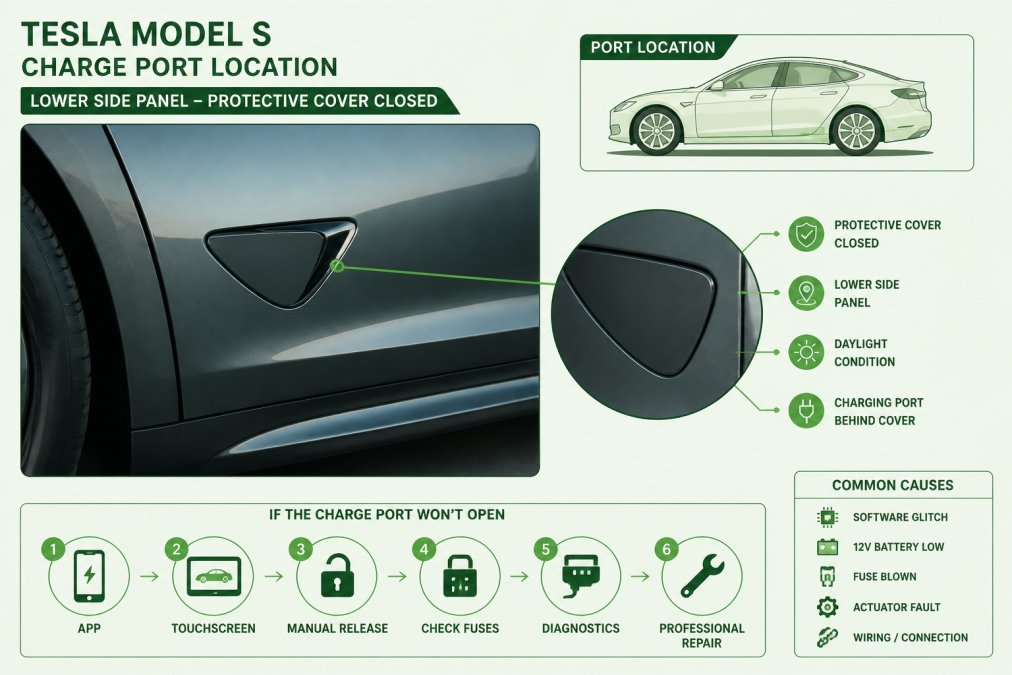
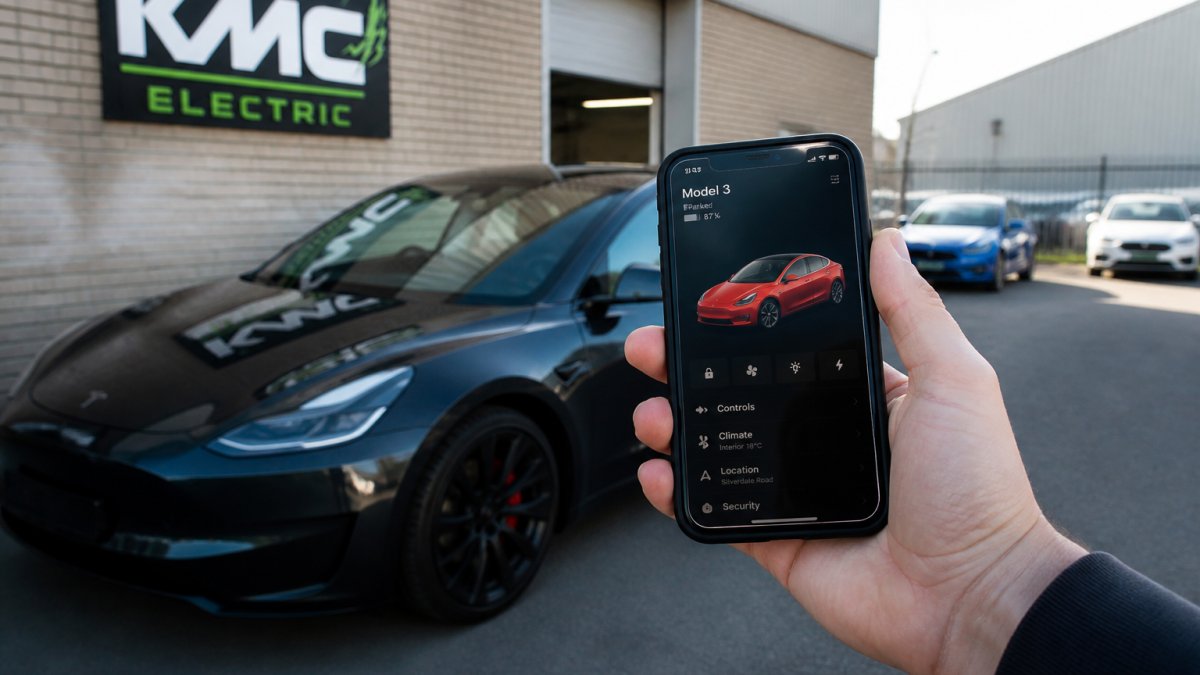
When your Tesla Model S charge port refuses to open, the problem is usually mechanical or software-related rather than electrical. Start by trying to open the port using the Tesla app on your smartphone. Navigate to Climate, then press the charge port icon. If it opens via the app, the issue is likely a stuck mechanical latch rather than an electrical failure.
Close-up of a Tesla Model S charging port with the protective cover closed, showing the port location on the vehicle's lower side panel with natural daylight illuminating the area
If the app doesn't work, try these steps:
Press the charge port door with gentle pressure to see if it's simply stuck
Look for ice, dirt, or debris blocking the mechanism
Check the vehicle's battery level, a deeply discharged battery may prevent port operation
Restart the vehicle by putting it in Neutral, then pressing and holding both scroll wheels on the steering wheel for several seconds
Leave the vehicle parked for 10 minutes, then try again
A common mistake is applying too much force. Pushing hard on the charge port can damage the latch mechanism permanently. Use steady, gentle pressure only.
If the port still won't open after these steps, the latch mechanism may be faulty. At KMC Electric in Kettering, a professional inspection can identify whether the latch needs replacement or if a software reset will resolve the issue.
Watch OutDo not attempt to pry the port open with tools. This can damage the connector pins and make the problem worse. If gentle pressure doesn't work, seek professional diagnosis before trying anything else.
Tesla Charging Cable Stuck in Port: How to Release It Safely
A stuck charging cable is frustrating, but the fix is usually straightforward if you follow the right steps. First, try unlocking the cable through the Tesla app. Open the charging menu and look for an unlock or release option. Many owners don't realise this feature exists, and it solves the problem instantly.
If the app doesn't release the cable, the mechanical latch inside the port may be stuck. Try these methods in order:
Turn off the vehicle completely
Wait 30 seconds, then turn it back on
Attempt to unlock the cable via the app again
If still stuck, gently wiggle the cable side to side while pulling steadily outward
Do not yank hard, steady, controlled pressure works better
The charging cable's latch engages with a spring-loaded mechanism inside the port. Moisture, dust, or debris can prevent the latch from releasing properly. If you live in a damp area or park outdoors frequently, this is more likely to happen.
Another common cause is a blown fuse in the charging system. Check your vehicle's fuse box using the manual or Tesla app. Look for any blown fuses related to charging. If you find one, replacing it may restore the cable release function.
Pro TipKeep your charging cable stored indoors when not in use. Exposure to rain, snow, or extreme temperatures increases the risk of moisture entering the latch mechanism and causing it to stick.
If the cable remains stuck after these attempts, do not force it further. Excessive pulling can damage the connector pins or the port itself. Professional technicians have specialised tools to safely release stuck cables without causing damage.
Tesla Model S Not Charging: Troubleshooting the Electrical Connection
When your Tesla Model S won't charge despite the cable being connected properly, the fault lies in the electrical system. Start with the simplest checks first.
Verify that power is reaching the vehicle. Look at the charge port lights. If they're completely dark, the port isn't receiving power. Check your home's circuit breaker or the charging station's power supply. A tripped breaker is the most common cause of no charging at all.
Next, inspect the charging cable itself. Look for visible damage, cuts, or corrosion on the connector. Wet conditions can cause corrosion inside the connector that prevents proper electrical contact. If the connector looks corroded, try cleaning the metal pins gently with a dry cloth.
Test with a different charging cable if possible. If charging works with another cable, your original cable has a fault. If charging still fails, the problem is in your vehicle's charging system.
Check the vehicle's onboard charger fuse. Your Tesla manual shows the location of all fuses. The charging system typically has a dedicated fuse. A blown fuse stops charging instantly. Replacing it is simple if you can access the fuse box safely.
If fuses are intact and the cable is undamaged, the issue may be a fault in the onboard charger itself or the charging port's electrical connections. At KMC Electric, we use diagnostic equipment to test the charging circuit and identify exactly where the fault lies. This prevents guesswork and unnecessary repairs.
Key TakeawayMost charging failures stem from simple issues: tripped breakers, corroded connectors, or blown fuses. Check these first before assuming the vehicle needs expensive repairs.
Tesla Model S Charge Port Lights Not Working: What It Means
The lights inside your Tesla Model S charge port serve a vital purpose. They tell you whether the port is receiving power and whether the vehicle is actively charging. When these lights don't work, it's a sign that something in the electrical circuit has failed.
No lights at all usually means the port isn't receiving power from the vehicle. Start by checking whether the vehicle's main battery has enough charge. A car with a critically low battery may not power the charge port lights.
If lights still don't appear, check the fuses. The charge port circuit has dedicated fuses that protect it from electrical surges. A blown fuse cuts power to the lights immediately.
Dim or flickering lights suggest a loose electrical connection somewhere in the charging circuit. These connections can loosen over time due to vibration or thermal cycling. A professional technician can trace the circuit and tighten any loose connections.
If the lights were working and suddenly stopped, a power surge or electrical fault likely caused the failure. This often happens after a lightning strike near your home or after using a faulty charging station. The surge damages sensitive electronics in the charge port circuit.
Testing the charge port lights requires a multimeter and knowledge of the vehicle's electrical schematic. If you're not comfortable working with vehicle electrics, this is a good time to seek professional help.
Common Mistakes to Avoid When Troubleshooting
Many owners make troubleshooting harder by skipping basic checks or applying excessive force. The most frequent mistake is assuming the problem is serious when it's actually simple. A tripped circuit breaker looks like a major fault, but it takes 30 seconds to reset.
Forcing the charge port open or yanking a stuck cable damages components that could otherwise be repaired cheaply. Once you've bent the connector pins or cracked the port housing, the repair cost jumps significantly. Gentle, steady pressure works far better than force.
Another common error is ignoring the Tesla app's diagnostic features. The app shows you charging status, fault codes, and even allows you to unlock the port remotely. Many owners don't explore these features and miss simple solutions that take seconds.
Testing with wet hands or in heavy rain is dangerous and can cause electrical faults. Always ensure the charging area is dry before connecting or disconnecting cables. Moisture inside the connector can create short circuits that damage the vehicle's electrical system.
Mixing different charging cables or adapters from unknown sources causes compatibility problems. Always use Tesla-approved charging equipment. Third-party cables may look similar but have different electrical specifications that confuse the vehicle's charging system.
Finally, avoid diagnosing problems based on internet forums alone. While community forums are helpful, every vehicle is unique. A fault that one owner solved easily might have a different cause in your car.
Watch OutNever attempt electrical repairs if you're not qualified. Incorrect work on the charging circuit can create fire hazards or cause serious electrical shock. When in doubt, seek professional help.
When to Seek Professional Help
Some charging port issues are straightforward enough for owners to handle. Others require specialist equipment and training. Knowing when to stop troubleshooting and call a professional saves time and prevents damage.
If you've tried the basic steps and charging still doesn't work, professional diagnosis is necessary. A qualified technician has diagnostic equipment that reads fault codes from your vehicle's computer.
Stuck cables that won't release after gentle attempts need professional extraction. Technicians have specialised tools designed specifically for this task. Forcing the cable risks damaging connector pins.
Electrical faults in the charging system are beyond safe owner repair. The charging circuit carries high currents that can cause serious injury or fire if handled incorrectly. Professional technicians understand these safety risks and have the proper equipment to work safely.
If your Tesla Model S is out of warranty, independent specialists like KMC Electric offer cost-effective alternatives to main dealer repairs. Warranty work must go through Tesla, but out-of-warranty repairs often cost less through independent shops.
For used vehicle buyers in the Midlands, independent battery health verification is essential before purchase. KMC Electric can assess battery state-of-health and identify potential faults before warranty expiry, giving you confidence in your purchase.
Charging port problems frustrate owners, but most have straightforward fixes. Start with basic troubleshooting: check your power supply, inspect cables, and try the Tesla app's diagnostic features. If these steps don't work, professional diagnosis is the next logical step.
Frequently Asked Questions
Why won't my Tesla Model S charge port open?
A non-opening charging port usually stems from a stuck solenoid, electrical fault, or mechanical jam. Check the touchscreen to confirm the car recognises the open command. If the port doesn't respond, the issue is either in the latch mechanism or the control circuit. Before assuming hardware failure, try a soft reset by shifting to Neutral and back to Park. If this fails, the solenoid or wiring needs professional diagnosis to avoid further damage.
What should I do if my Tesla charging cable is stuck in the port?
Do not force the cable. First, try releasing it via the touchscreen: touch Controls > Service > Release Cable. If that fails, the latch may be electrically stuck. You can manually release the cable by locating the manual release handle inside the port access area, but this requires care to avoid damaging the connector. If you're unsure, stop and contact a specialist. Forcing the cable risks breaking the port's internal contacts.
Why are there no lights on my Tesla Model S charging port?
Port lights indicate charging status and power delivery. No lights usually means a loss of power to the port assembly, a faulty LED, or a control module failure. Check whether the car is in Sleep mode, wake it via the app or by opening a door. If lights still don't appear when charging begins, the issue is likely a blown fuse in the charging circuit or a defective port control board. This requires specialist diagnostic equipment to pinpoint and resolve safely.
How do I know if my charging port needs professional repair or if it's just a temporary glitch?
Temporary glitches often resolve after a soft reset or by disconnecting and reconnecting the cable. If the issue persists across multiple charging sessions, or if the car's touchscreen shows a charging fault code, professional diagnosis is needed. Out-of-warranty repairs are common for Model S vehicles, and early diagnosis prevents secondary faults. KMC Electric can identify whether the fault is software, electrical, or mechanical, and advise on the most cost-effective fix.