Tesla fault codes explained UK is a topic that trips up even experienced EV owners. Misreading a fault alert can range from an unnecessary service visit to a genuine safety risk. This guide covers everything you need to know about Diagnostic Trouble Codes (DTCs) across the Tesla Model 3, Model Y, Model S, and Model X, with a focus on what UK owners need to understand. Most owners assume a dashboard alert means an immediate trip to a service centre, that assumption is often wrong and costs time and money unnecessarily.
What Are Tesla Diagnostic Trouble Codes (DTCs)?
Tesla Diagnostic Trouble Codes are alphanumeric identifiers generated by the vehicle's onboard diagnostic systems to flag abnormal conditions across electrical, mechanical, and software subsystems. Each DTC pinpoints a specific fault location and severity level, allowing technicians and informed owners to triage issues without guesswork.
Unlike traditional combustion engine vehicles, Teslas generate DTCs across dozens of subsystems simultaneously, from the Battery Management System and high-voltage contactors to thermal management loops and gateway communications. A DTC is not always a crisis. Many codes are informational, logged automatically during firmware updates or routine power cycles, and clear themselves without intervention. The critical skill is learning which codes demand immediate action and which can wait for a scheduled diagnostic.
How DTCs differ from dashboard warning lights
Dashboard warning lights are the consumer-facing layer of a much deeper diagnostic architecture. A single amber or red icon on the touchscreen may correspond to one DTC or to a cascade of related codes logged simultaneously in the vehicle's memory.
The key distinction: dashboard lights tell you something is wrong; DTCs tell you what is wrong, where, and how severely. Accessing the underlying DTC data gives you a far more precise picture than the icon alone. For UK owners approaching the end of their warranty period, reading DTCs proactively is one of the most practical ways to identify faults before they become expensive out-of-warranty repairs.
Pro TipIf your Tesla displays a warning icon but the vehicle drives normally, do not dismiss it. Log the DTC immediately using the Service Menu or a third-party tool. Latching codes that seem minor can mask developing faults in the high-voltage system.
Understanding BMS and Battery Management System Codes
The Battery Management System is the most safety-critical subsystem in any Tesla, and BMS fault codes carry more weight than almost any other category of DTC. The BMS monitors cell voltages, state of charge, thermal conditions, and charge/discharge rates across every cell group in the battery pack.
BMS codes follow a structured naming convention. Codes prefixed with BMS_ typically relate to cell imbalance, thermal runaway precursors, contactor faults, or communication failures between the BMS controller and the main vehicle computer. According to Tesla's official documentation on battery safety, BMS alerts that reference high-voltage isolation faults or contactor weld conditions should be treated as critical until confirmed otherwise by a qualified technician.
Critical BMS faults vs. minor battery alerts
A critical BMS fault typically triggers a "Pull Over Safely" or "Unable to Drive" alert and may limit or completely disable propulsion. These include codes related to high-voltage isolation loss, contactor failure, cell thermal runaway detection, and pack voltage out of safe operating range.
Minor battery alerts are informational. A common example is a cell group imbalance warning that appears after extended storage or during cold weather. These codes often resolve after a full charge cycle and do not indicate structural pack damage. The mistake most owners make is treating all BMS codes with equal urgency. A minor imbalance code does not require the same response as a contactor fault.
Fault Codes vs. Warning Codes: The 'F' and 'W' Distinction
Tesla's diagnostic system classifies alerts into two primary categories: fault codes (designated with an 'F' suffix or prefix) and warning codes (designated with a 'W'). The distinction maps directly to severity and required action.
Code Type
Designation
Typical Response
Example Subsystem
Fault
F
Immediate attention, may disable vehicle
BMS, HV contactor
Warning
W
Monitor; schedule service
Thermal, sensor calibration
Informational
I
Log only; no action needed
Firmware, minor comms
Fault codes indicate that a system has failed or exceeded a defined threshold and the vehicle's safety logic has responded, often by limiting performance or disabling a function. Warning codes signal that a parameter is trending toward a fault threshold but has not yet crossed it.
The practical implication: a 'W' code gives you a window to act. An 'F' code means the vehicle has already acted on your behalf. Ignoring a persistent 'W' code is how minor issues become major repairs.
Watch OutNever clear an 'F' (fault) code without first understanding its root cause. Clearing a latching fault code without addressing the underlying condition can mask a developing high-voltage system failure and may create a safety hazard on subsequent drives.
How to Access Tesla Service Menu for Diagnostics
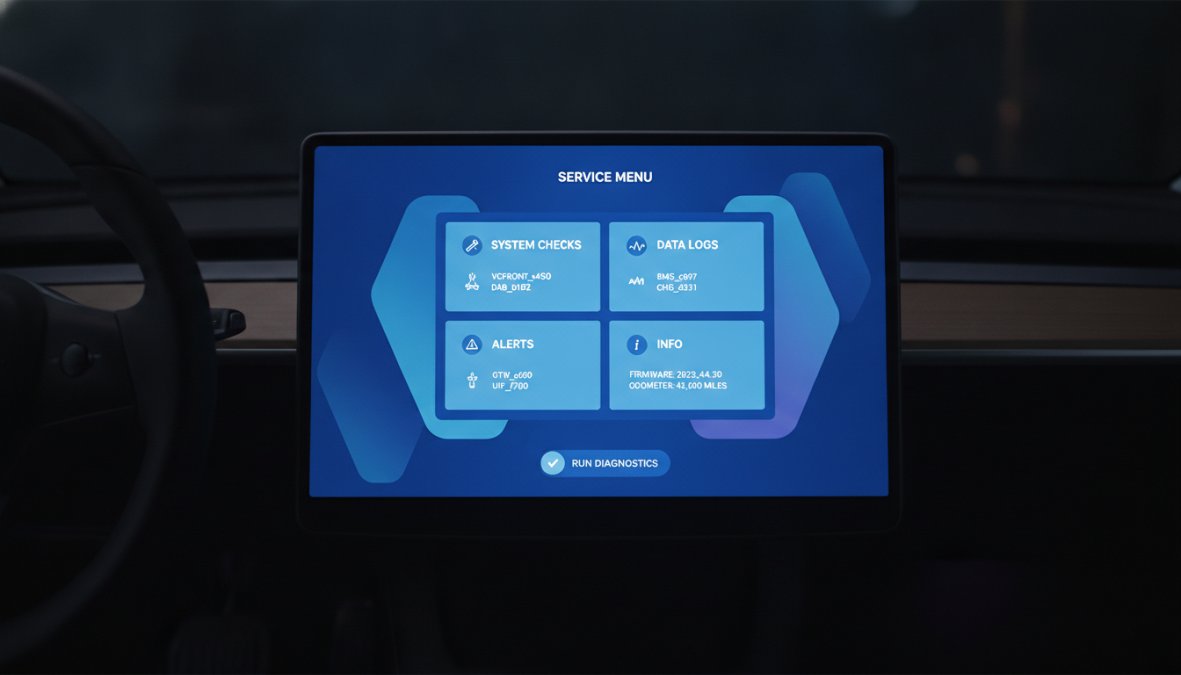
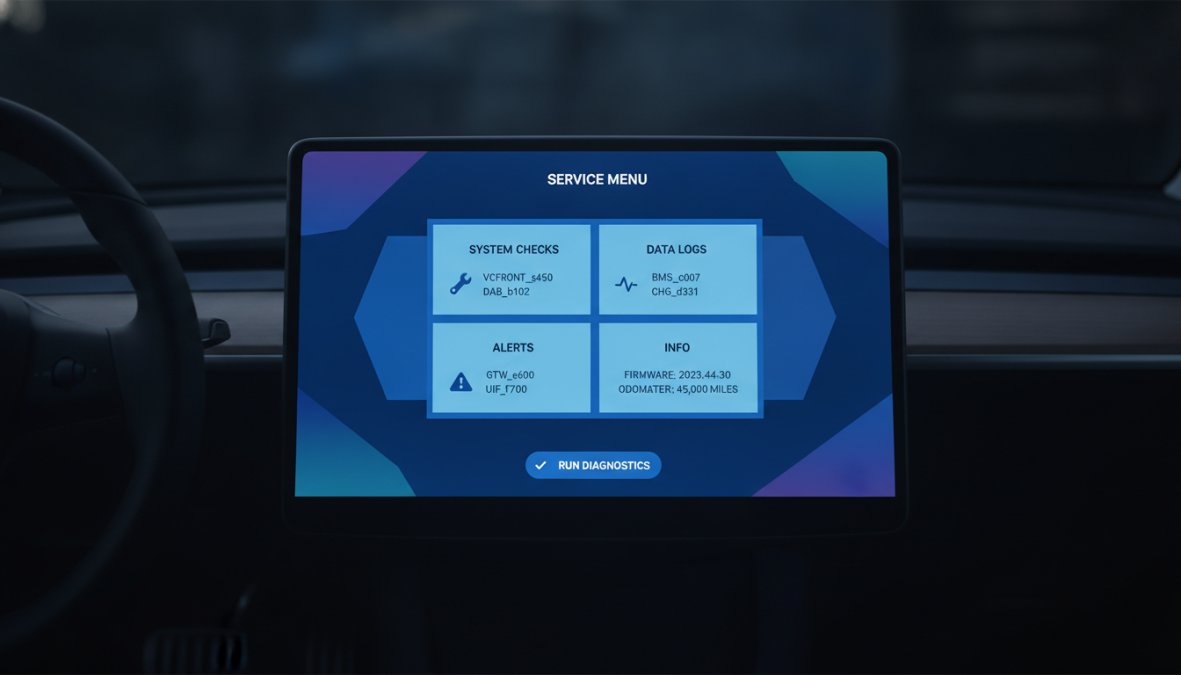
The Tesla Service Menu is accessible directly from the vehicle's touchscreen without any external tools, and it provides a real-time view of active alerts and logged DTCs.
Close-up of a Tesla Model 3 centre touchscreen in a dimly lit car interior showing the Service Menu interface with diagnostic alert codes listed on screen, natural ambient lighting from the dashboard
Step-by-step navigation for Model 3, Model Y, Model S, and Model X
Tesla Model 3 and Model Y (post-2021 firmware):
Tap the car icon at the bottom left of the touchscreen
Select "Service" from the left-hand menu
Tap "Alerts" to view active and historical fault codes
Tesla Model S and Model X (pre-2021 MCU2 and later):
Press and hold both scroll wheel buttons simultaneously until the screen reboots
After reboot, navigate to Controls > Service > Alerts
For older MCU1 units, the service menu may be accessed via a hidden tap sequence on the Tesla 'T' logo
All models:
Active alerts appear at the top of the Alerts screen
Historical (cleared) codes remain visible for review
Each code links to a brief description of the fault condition
The Service Menu does not expose the full raw DTC string in the way a professional scan tool does. For the complete code identifier, you need either Tesla's proprietary diagnostic software or a compatible third-party tool.
Common Tesla Model 3 Error Codes and What They Mean
The Tesla Model 3 generates a broad range of fault codes, but certain categories appear far more frequently in UK ownership conditions. Cold weather, charging infrastructure variability, and high-mileage use patterns all influence which codes surface most often.
Tesla Model 3 driver's perspective showing the centre touchscreen displaying a red alert notification with fault code text visible, interior lit by ambient daylight through the windscreen
High-voltage system warnings and communication faults
High-voltage system codes are among the most serious a Model 3 owner can encounter. CP_a035 and related charge port communication faults typically indicate a wiring harness issue between the charge port and the vehicle's main controller, often presenting as intermittent charging failures. BMS_a066 indicates cell voltage imbalance, frequently appearing in high-mileage vehicles or those that have experienced deep discharge events. VCFRONT_a175 signals communication fault between the front vehicle controller and another module, potentially indicating a wiring harness fault or failed gateway module.
Communication faults can cascade. A single failed connection in the wiring harness can generate multiple DTCs across unrelated subsystems. Experienced technicians diagnose communication faults by isolating the network segment first, rather than chasing individual codes.
Sensor failures and wiring harness issues
Sensor-related codes are extremely common on UK Model 3 vehicles, particularly those exposed to road salt and wet conditions throughout winter. These include ultrasonic sensor faults affecting Autopilot, ambient temperature sensor errors affecting thermal management, and 12V battery degradation codes.
Wiring harness failures deserve special attention. A compromised harness can produce seemingly unrelated fault codes across multiple systems. The tell-tale sign is a cluster of DTCs from different subsystems appearing simultaneously after wet weather or a minor impact.
Pro TipIf your Model 3 or Model Y develops multiple unrelated fault codes after winter driving, inspect the front underbody wiring harness routing before committing to expensive component replacements. Road debris and salt ingress are common culprits in UK conditions.
How to Clear Tesla Alerts and Reset Fault Codes
Clearing Tesla alerts is straightforward, but doing it correctly matters. Non-latching codes clear automatically once the underlying condition resolves. Restart the vehicle, complete a charge cycle, or perform a soft reset (hold both scroll wheels until the screen restarts), and the code will disappear if the root cause is gone.
Latching codes persist regardless of power cycles until a technician clears them using authorised diagnostic software. They exist because the fault they represent is serious enough that the vehicle's safety logic requires human confirmation before clearing.
Power cycles and latching codes explained
A power cycle fully shuts down the vehicle's 12V and high-voltage systems and restarts them. Hold the brake pedal and both scroll wheels simultaneously for approximately 10 seconds, or use the full power-off sequence in Controls > Safety > Power Off.
Power cycles resolve many transient software faults and communication glitches. They do not resolve latching hardware faults. If a code returns within one or two drive cycles after a power cycle, treat it as persistent and investigate further. Many UK owners waste time cycling their vehicle's power trying to clear a BMS fault code that is physically latched in the controller.
Using Tesla Diagnostic Tools in the UK
Professional diagnosis of Tesla fault codes requires either Tesla's proprietary tooling (available only to authorised service centres) or a capable third-party alternative. According to the Society of Motor Manufacturers and Traders EV servicing guidance, independent EV specialists working with high-voltage systems must hold appropriate qualifications.
Scan My Tesla and third-party OBD2 options
Scan My Tesla is the most widely used third-party diagnostic application among UK Tesla owners. It connects via a compatible Bluetooth or Wi-Fi OBD2 adapter and can read a substantial subset of DTCs available through Tesla's own systems. It also logs battery health data, cell voltage variance, and thermal management parameters.
Important limitations: Scan My Tesla cannot clear latching fault codes, does not have access to the full DTC dictionary used by Tesla's own diagnostic software, and firmware updates can periodically change which parameters are accessible. Standard OBD2 readers designed for combustion vehicles are largely ineffective on Teslas, as Tesla's diagnostic architecture does not follow the standard OBD2 protocol.
When to Contact Tesla Service vs. DIY Troubleshooting
The threshold for DIY versus professional intervention is clearer than most owners realise. The question to ask is not "can I fix this?" but "do I have the authorisation and equipment to safely diagnose this?"
Critical faults, warranty coverage, and post-warranty options
Go to Tesla Service immediately for:
Any 'Pull Over Safely' or 'Unable to Drive' alert
Active BMS fault codes referencing isolation loss or contactor failure
Any alert that physically limits vehicle operation
High-voltage system warnings that persist after a power cycle
DIY troubleshooting is appropriate for:
Non-latching warning codes that clear after a power cycle
12V battery alerts
Charge port communication errors (often resolved by cleaning contacts)
Autopilot sensor calibration warnings after windscreen replacement
UK warranty and post-warranty considerations:
Tesla's standard warranty covers most fault-related repairs within the warranty period. UK consumer law protects independent diagnostic work, it does not void warranty coverage provided the work is performed competently. For out-of-warranty vehicles, independent specialists offer a cost-effective alternative for fault diagnosis and repair. Maintaining a record of all codes, when they appeared, and what conditions preceded them gives any technician a significant head start on diagnosis.
At KMC Electric, our Level 4 Master Technician status in electric vehicles, held since 2016, means we can access, interpret, and act on Tesla fault codes with the same depth as a main dealer, at a significantly more transparent cost for Kettering and Northamptonshire owners. If your Tesla is showing persistent fault codes or approaching the end of its warranty period, an independent diagnostic check is one of the most cost-effective decisions you can make.
Tesla fault codes can feel overwhelming when a dashboard alert appears without context. KMC Electric provides professional Tesla diagnosis and repair from Kettering, Northamptonshire, backed by over 25 years of automotive experience and Level 4 Master Technician EV qualifications since 2016. Whether your vehicle is in warranty or well beyond it, our independent battery health verification and fault code diagnostics give you an honest picture of what your Tesla actually needs. Submit your vehicle details to KMC Electric and get a clear, qualified assessment of your fault codes without the main dealer markup.
Frequently Asked Questions
How do I check fault codes on my Tesla?
Access the Service Menu through your Tesla touchscreen: press the Tesla logo, navigate to Service, then Diagnostics. From there, select 'DTC' (Diagnostic Trouble Codes) to view active and historical faults. You can also use third-party OBD2 scanners like Scan My Tesla to retrieve codes remotely. If you're unsure interpreting the codes, an independent specialist can help identify what each DTC means for your vehicle.
What's the difference between fault codes and warning alerts on my Tesla?
Fault codes (DTCs) are technical diagnostic codes stored in your vehicle's system, identified by alphanumeric strings like 'DBC:100F34'. Warning alerts are user-facing messages on your dashboard, such as 'Service Required' or 'Unable to Drive'. A single fault code may trigger multiple warnings. Understanding both helps you assess severity: minor sensor faults might show a warning but allow driving, while critical high-voltage system faults trigger 'Unable to Drive' alerts and require immediate attention.
Can I clear Tesla fault codes myself, and should I?
Yes, you can clear codes via the Service Menu (Diagnostics > Clear DTC), but clearing doesn't fix the underlying issue. If a code reappears immediately after clearing, the fault is active and needs repair. Latching codes (stored faults from past events) can be safely cleared if the issue has resolved. However, critical faults like high-voltage system errors should never be ignored. If unsure whether a code is safely clearable, consult a Tesla Service Centre or independent EV specialist before attempting DIY clearing.
Are Tesla fault codes the same in the UK as in the US?
Tesla fault codes (DTCs) are standardised across all markets, including the UK. The code format and meaning remain identical whether your vehicle was manufactured for the UK or US. However, UK Tesla Service Centres may follow different protocols for warranty claims and repair procedures. Post-warranty repairs in the UK may have different availability and costs. An independent Tesla specialist in the UK, such as those with Level 4 Master Technician status in electric vehicles, can interpret and address codes using UK-specific service knowledge and cost-effective solutions.