Knowing how to fix common Tesla battery issues before they escalate can save you hundreds of pounds and prevent unnecessary downtime. This guide covers the full diagnostic and repair process, from identifying early degradation symptoms through to post-warranty repair options. Tesla battery problems range from gradual range loss to sudden charging failures, and the root causes are rarely obvious without proper diagnostic tools.
The Battery Management System is at the heart of every Tesla battery problem. Understanding how it behaves, and when it misbehaves, is what separates a quick software fix from a costly replacement.
Understanding Tesla Battery Degradation Symptoms
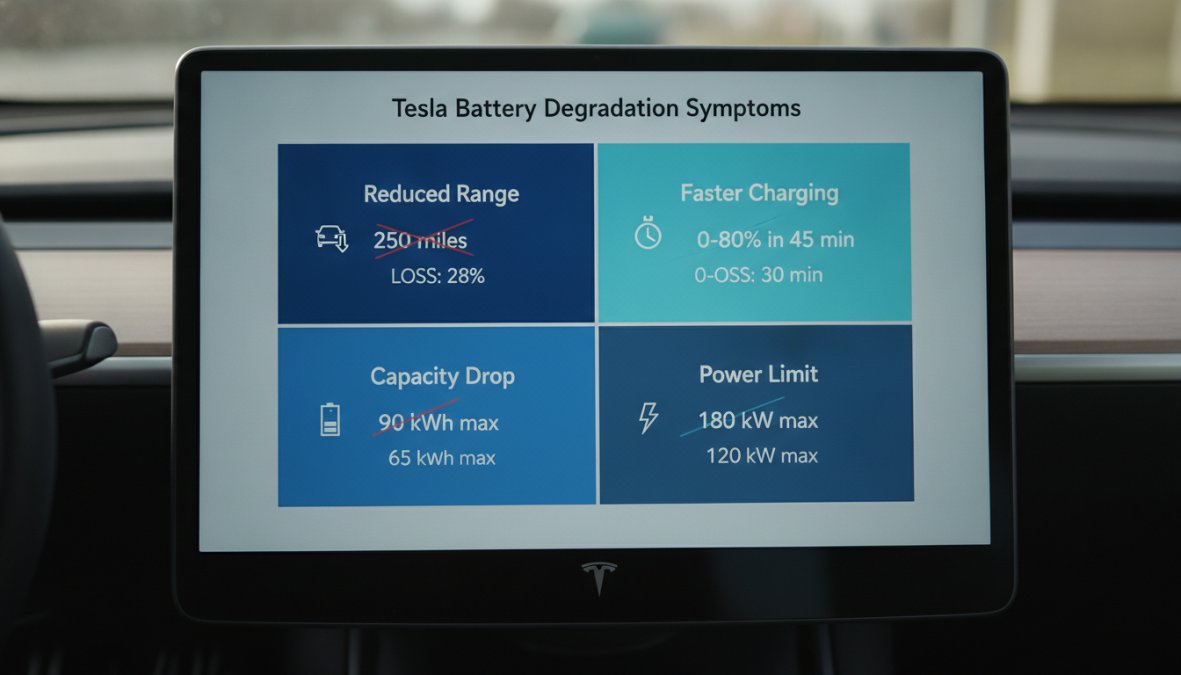
Tesla battery degradation is the gradual reduction in a lithium-ion battery pack's capacity to hold and deliver charge over time, caused by electrochemical wear at the cell level. It shows up first as reduced range, then as inconsistent performance, and eventually as charging behaviour that no longer matches what the vehicle's software expects.
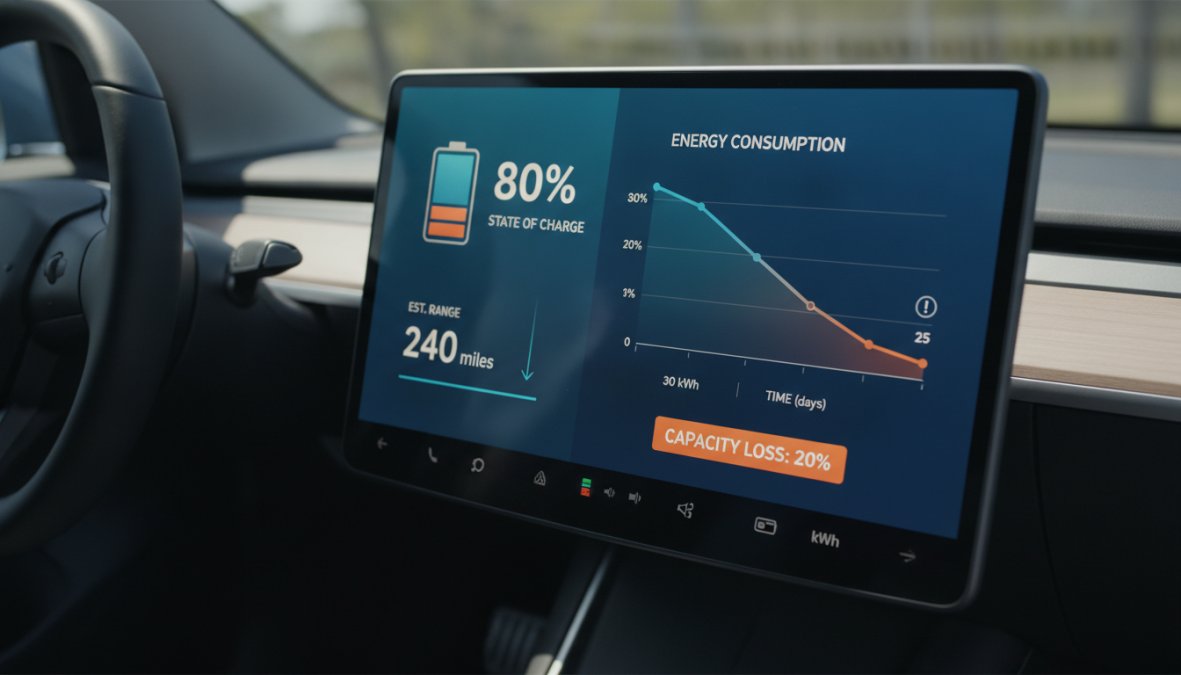
Close-up of a Tesla Model Y dashboard touchscreen displaying estimated battery range, state of charge percentage, and energy consumption graph in a parked car interior with natural daylight
Range loss and reduced performance
The most common complaint from Tesla owners is range that no longer matches the vehicle's rated figure. A Tesla Model Y Long Range, for example, is rated at over 300 miles, but real-world degradation means most owners see gradual reduction over the first few years. What is not normal is sudden, steep drops in estimated range, or a state of charge (SoC) reading that jumps erratically rather than declining smoothly.
Voltage imbalance between individual cells can cause the BMS to artificially limit power output even when total capacity appears acceptable.
Watch OutNever ignore a sudden drop of more than 10-15% in estimated range over a short period. This is not normal degradation and may indicate a failing cell group or a BMS fault requiring professional diagnosis.
Charging port and thermal management issues
Charging problems are a separate category from capacity degradation. A Tesla that refuses to charge, charges slowly, or stops mid-session may have a faulty charging port latch, a thermal management system fault, or a BMS communication error. If the coolant loop serving the HV battery is blocked or the pump is failing, the BMS will throttle charging rates to protect the cells.
Thermal management problems are particularly common in the UK's variable climate. Cold snaps can cause the battery to enter a deep thermal protection state, significantly limiting both range and charge rate until the pack reaches operating temperature.
Root Causes of Battery Degradation in Tesla Vehicles
Most battery problems have identifiable causes. Understanding the root cause determines whether the fix is a software recalibration, a charging habit adjustment, or a hardware repair.
Manufacturing defects and cell imbalances
Some Tesla battery packs leave the factory with marginal cell groups that perform acceptably at first but degrade faster than surrounding cells. This creates voltage imbalance within the battery pack. According to Tesla's official warranty documentation, the company has acknowledged specific battery-related service bulletins for various model years. If your vehicle's degradation is steeper than expected for its age and mileage, a manufacturing defect is worth investigating.
Tesla has also used over-the-air firmware updates to limit usable battery capacity on specific vehicles for safety reasons.
Driving habits and Supercharging frequency
Frequent Supercharging accelerates lithium-ion cell degradation. High-rate DC charging generates heat and mechanical stress that repeated AC charging at lower rates does not. Owners who rely on Supercharging as their primary charging method will typically see faster degradation than those who charge predominantly at home on AC.
Equally damaging is consistently charging to 100% or discharging to near 0%. Tesla's own guidance recommends keeping daily charge levels between 20% and 80% for regular use, reserving 100% charges for long journeys only.
Pro TipSet your Tesla's charge limit to 80% for daily use via the vehicle's charging settings. This single habit change does more to preserve long-term battery health than almost any other preventative measure.
Tesla Charging Issues Troubleshooting Steps
Charging issues are among the most fixable Tesla battery problems, provided you work through them systematically.
Charging port reset procedure
Ensure the vehicle is unlocked and the charging cable is disconnected.
On the touchscreen, navigate to Controls > Safety > Power Off. Wait a full two minutes without opening doors or touching the screen.
Press the brake pedal to wake the vehicle.
Attempt to connect the charging cable again.
If the charge port light flashes amber or remains unresponsive, the port assembly itself may need replacement.
BMS recalibration and voltage balancing
BMS recalibration allows the Battery Management System to re-learn the true capacity boundaries of the battery pack. Over time, the BMS's internal model drifts from the pack's actual state, leading to inaccurate SoC readings and premature low-battery warnings.
The standard recalibration procedure:
Drive the vehicle until the battery reaches approximately 10% SoC.
Charge to 100% in a single uninterrupted session using AC charging (not Supercharging).
Leave the vehicle plugged in for a further two to three hours after reaching 100%.
Repeat this cycle two to three times over consecutive days.
This allows the BMS to re-anchor its capacity model at both ends of the charge curve. It will not recover lost capacity, but it will restore accurate reporting and can resolve phantom range loss caused by BMS drift rather than genuine degradation.
How to Check Battery Health: Tesla Service Mode Battery Health Check
Checking Tesla battery health accurately requires more than glancing at the range estimate on the dashboard. The most reliable method combines Tesla's built-in service data with third-party diagnostic tools.
Automotive technician in a professional workshop using a laptop connected to a Tesla vehicle via OBD port, checking high-voltage battery diagnostic data on screen under bright workshop lighting
Using diagnostic tools and ScanMyTesla
ScanMyTesla is a third-party diagnostic application that connects to the vehicle via a Bluetooth OBD adapter and reads raw BMS data that Tesla's standard interface does not expose to owners. It displays individual cell group voltages, minimum and maximum cell temperatures, and the battery pack's calculated degradation percentage.
A healthy battery pack will show cell voltage spread of less than 20-30 millivolts at rest. Spreads above 50 millivolts at rest indicate significant imbalance and warrant professional evaluation.
Interpreting state of charge and HV battery data
State of Charge (SoC) is the percentage of usable energy currently in the battery relative to its current maximum capacity. The critical distinction is that SoC is always relative to the battery's current state, not its original factory capacity.
The figure that actually matters is the battery's energy retention rate: how much of the original factory capacity remains accessible. Tesla does not display this directly in the standard UI, which is why tools like ScanMyTesla and professional diagnostic equipment are necessary for a true battery health assessment.
Warranty Coverage and How to Fix Common Tesla Battery Issues Within Warranty
Tesla's battery warranty is one of the more generous in the EV industry, but its terms are specific enough that many owners do not fully understand what is and is not covered.
What Tesla warranty covers
As documented in Tesla's vehicle warranty guide, Tesla covers the HV battery and drive unit against defects in materials or workmanship. For the Model Y Long Range and Performance, the battery is warranted for eight years or 120,000 miles, whichever comes first, with a guaranteed minimum retention of 70% of original capacity.
This 70% retention guarantee is the key figure. If your battery degrades below 70% of its original capacity within the warranty period, Tesla is obligated to repair or replace the battery pack.
Filing a warranty claim
The process for a warranty claim:
Book a service appointment through the Tesla app or website.
Document your battery's current range and SoC behaviour with screenshots from the vehicle's energy graph.
Request a formal battery diagnostic at the Tesla Service Centre appointment.
If degradation is confirmed below the 70% threshold, Tesla will process the replacement under warranty.
Key TakeawayBook an independent battery health check in the final six months of your Tesla warranty period. Documented third-party evidence of degradation gives you leverage in warranty discussions that a simple range estimate cannot provide.
Tesla Battery Replacement Cost and Repair Options
Battery replacement is the option of last resort, and the cost reflects that. Understanding the full landscape of repair options before committing to replacement is worth the time.
Out-of-warranty repair alternatives
For vehicles outside warranty, the repair options broadly fall into three categories:
Option
Approximate Cost
Best For
Risk Level
BMS recalibration / software fix
£100-£300
SoC drift, minor faults
Low
Cell group repair (specialist)
£800-£2,500
Isolated cell failure
Medium
Refurbished battery pack
£3,500-£6,000
Significant degradation
Low-Medium
New OEM battery replacement
£8,000-£15,000+
Severe failure
Low
Full battery replacements for Tesla vehicles represent a significant proportion of total vehicle value for older models, which makes exploring repair-first options economically sensible.
DIY vs professional repair risks
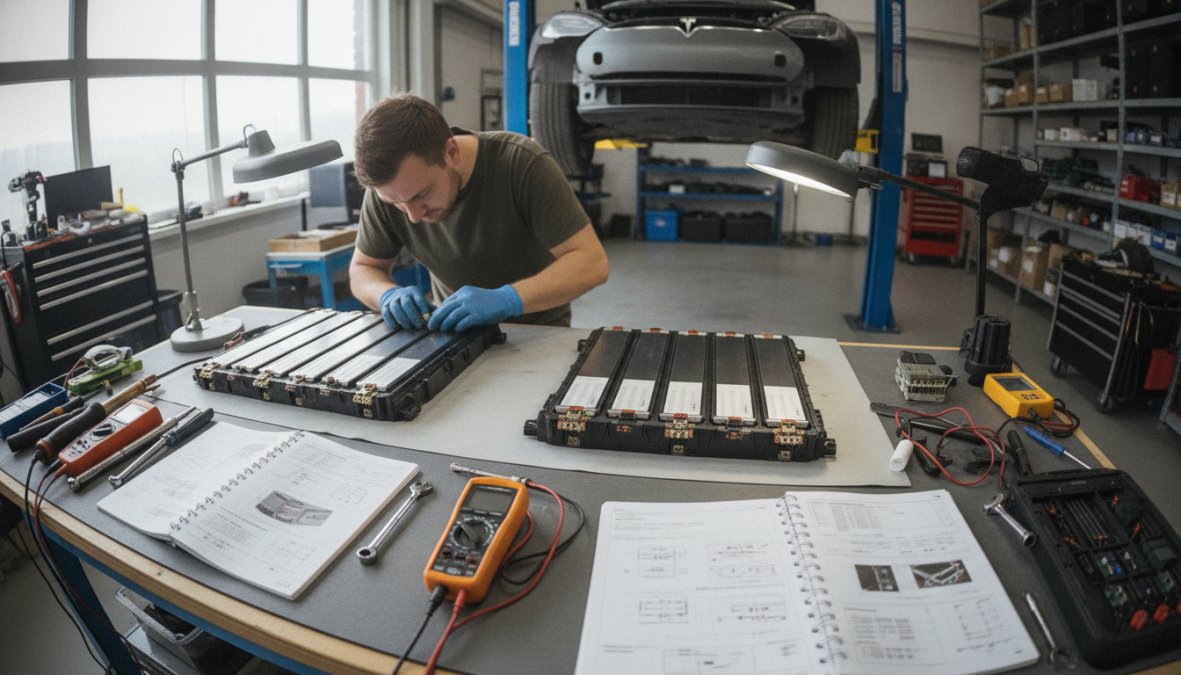
DIY battery work on a Tesla is genuinely dangerous. The HV battery operates at voltages that are lethal without proper isolation procedures, and the pyro fuse, a critical safety component in the high-voltage circuit, is a single-use device that must be replaced if the battery is disconnected. Attempting battery access without disabling the pyro fuse correctly risks catastrophic electrical discharge.
This requires Level 4 EV technician training and proper high-voltage safety equipment.
Preventative Maintenance to Avoid Battery Problems
The most cost-effective approach to Tesla battery issues is preventing them. Most serious battery problems are preceded by months of warning signs that routine maintenance would catch.
Optimal charging practices and thermal management
Practical habits that extend battery life:
Keep daily charge limit at 80% and only charge to 100% before long journeys
Avoid leaving the vehicle at very low SoC (below 10%) for extended periods
Pre-condition the battery before Supercharging in cold weather using the navigation system's route planning feature
Use AC home charging as the primary charging method and reserve Supercharging for travel
Keep the vehicle plugged in during extreme cold to allow the thermal management system to maintain battery temperature
Climate-specific battery care strategies
Cold weather reduces lithium-ion battery performance by increasing internal resistance and slowing electrochemical reactions. The practical result is reduced range and slower charging until the pack reaches operating temperature.
In warm weather, the risk shifts to heat exposure. Parking in direct sun on hot days accelerates passive degradation, and repeated high-temperature Supercharging sessions without adequate cool-down periods stress the cells.
When to Seek Professional Help for Tesla Battery Issues
Some battery problems resolve with a reset or a recalibration. Others signal hardware failure that no amount of software intervention will fix.
Signs that require immediate professional diagnosis
Seek professional diagnosis without delay if you observe any of the following:
A red or amber warning on the battery icon in the vehicle's display
Sudden loss of more than 20% of estimated range within days rather than months
The vehicle refusing to charge above a specific SoC percentage
Unusual heat from the battery area or a burning smell
BMS fault codes appearing in the diagnostic log
The vehicle entering a reduced power mode without obvious cause
Independent specialist vs Tesla Service Centre
Tesla Service Centres are the obvious first call for in-warranty vehicles. For out-of-warranty repairs, independent EV specialists with proper Level 4 qualifications offer a genuine alternative. Main dealer labour rates and parts pricing make Tesla Service Centres a costly option for older vehicles.
The key questions to ask any independent workshop: do they hold Level 4 Master Technician status in EVs, do they carry Tesla-specific diagnostic tools, and can they provide documented battery health reports?
Tesla battery problems rarely appear without warning, and most of the serious ones are preventable or diagnosable well before they become expensive. The challenge is having access to the right diagnostic tools and the expertise to interpret what they reveal. Professional Tesla battery diagnosis, independent health verification, and cost-effective repair options backed by Level 4 Master Technician status in EVs can protect your investment and extend your vehicle's service life.
Frequently Asked Questions
What are the most common signs of a failing Tesla battery?
Common Tesla battery degradation symptoms include reduced range (losing 5-10% per year is normal, but more suggests issues), slower acceleration, longer charging times, and the battery management system triggering warning lights. You may also notice voltage imbalances between cells or the vehicle refusing to charge fully. If your Model Y or other Tesla shows these signs, have the HV battery and BMS inspected by a professional to rule out manufacturing defects or cell failures.
Can I fix Tesla charging issues myself?
Some Tesla charging issues troubleshooting steps are safe to try yourself: restart the charging port using the vehicle's menu, perform a soft power-off (shift to Neutral, press both scroll wheels), or check for firmware updates. However, if the charging port reset doesn't work or you suspect high-voltage battery problems, do not attempt repairs yourself. Professional diagnosis using ScanMyTesla or Tesla Service Centre diagnostics is essential to avoid safety risks with the lithium-ion battery pack.
How much does a Tesla battery replacement cost outside of warranty?
Tesla battery replacement cost varies significantly by model and region. Out-of-warranty battery pack replacements typically range from £8,000 to £15,000+ depending on the vehicle and battery capacity. Independent specialists like KMC Electric can provide cost-effective alternatives and independent battery health verification, which may identify repairable issues (such as BMS recalibration or thermal management problems) that avoid full replacement. Always get a diagnostic assessment before committing to replacement costs.
Does Tesla warranty cover battery degradation and issues?
Tesla's standard warranty covers the HV battery for 8 years or 100,000-120,000 miles (depending on model), protecting against manufacturing defects and capacity loss beyond normal degradation. However, warranty does not cover damage from accidents, improper charging, or extreme driving habits. To file a warranty claim for battery issues, contact Tesla Service Centre with diagnostic data showing the problem. If you're out of warranty, independent specialists can verify battery health and explore repair options before considering replacement.