Dirty charging pins are one of the most common issues we see at KMC Electric. Over time, corrosion builds up on your Tesla's charging connector. This happens because moisture and road salt get trapped in the charging port. When pins corrode, they stop making good electrical contact. Your car charges slower. In some cases, it won't charge at all.
The problem gets worse if you ignore it. Corroded pins can damage both your vehicle and the charging equipment. You might end up with a repair bill when a simple clean would have prevented it. That's why knowing how to clean EV charging pins safely matters before the damage spreads.
Most Tesla owners in Kettering don't realize how easy this is to fix themselves. A few minutes of care now saves you time, money, and frustration later. We'll walk you through exactly what to do.
Electric Car Charging Port Inspection: What to Look For
Before you clean anything, you need to know what you're looking at. Your Tesla Model 3 or Model Y has a charging port on the side of the vehicle. Inside that port are metal pins and a connector. These parts carry electrical current from the wall to your battery.
Identifying corrosion and debris
Corrosion looks like a thin white, green, or blue film on the metal pins. You might also see a dark discoloration or a crusty buildup. Debris includes dust, dirt, or small pieces of plastic stuck inside the port.
Here's what to check:
Open your charging port by pressing the button on your Tesla's touchscreen
Look inside using a torch
Check if the pins look shiny and clean, or dull and discoloured
Look for any visible dirt or debris
See if there's moisture inside the port
Corrosion is most common on Tesla Model 3 and Model Y vehicles that are parked outside. The UK's damp climate makes this worse. Salt from winter roads accelerates corrosion even faster.
When to stop and seek professional help
Some damage is beyond a DIY clean. If you see any of these signs, stop and contact a professional like KMC Electric:
Deep pitting or holes in the metal pins
Burn marks or blackening on the connector
Pins that look bent or damaged
Moisture inside the port that won't dry
A burning smell when you charge
These indicate electrical damage that needs professional diagnosis. Attempting to clean severely damaged pins can make things worse.
EV Charging Port Corrosion: Prevention and Detection
EV charging port corrosion happens when moisture mixes with metal. The UK's wet climate makes this inevitable over time. Your Tesla Model 3 or Model Y is vulnerable no matter how careful you are.
Prevention starts with understanding what causes corrosion:
Rain and humidity entering the open charging port
Road salt splashed during winter driving
Temperature swings that create condensation
Infrequent use (ports that sit unused corrode faster)
Poor-quality charging cables that let moisture in
Here's how to detect early corrosion before it becomes a problem:
Check your charging port every month. Look for any discoloration on the pins. If you see white or green film forming, that's early corrosion. Clean it now before it spreads.
Keep your charging port dry. After charging in rain, wipe the exterior dry with a soft cloth. Don't leave the port open for long periods. Close it when you're not using it.
If you live in Kettering or the surrounding area and notice your Tesla isn't charging as fast as it used to, corrosion might be the cause. Many owners assume it's a battery issue when it's actually just dirty pins.
How to Clean EV Charging Connectors Step by Step
This is where how to clean EV charging pins safely becomes practical. Follow these steps carefully. Rushing this job can damage your vehicle.
What you'll need before starting
Gather these items before you start:
A soft-bristled brush (old toothbrush works)
Isopropyl alcohol (70% concentration)
Cotton buds or small cloth pieces
A torch or headlamp
Dry towels
Gloves (optional, but recommended)
Contact cleaner spray (electrical contact cleaner, not general-purpose cleaner)
Do not use:
Wire brushes or abrasive pads
Water or tap water
Harsh chemicals or solvents
Metal tools that could scratch the pins
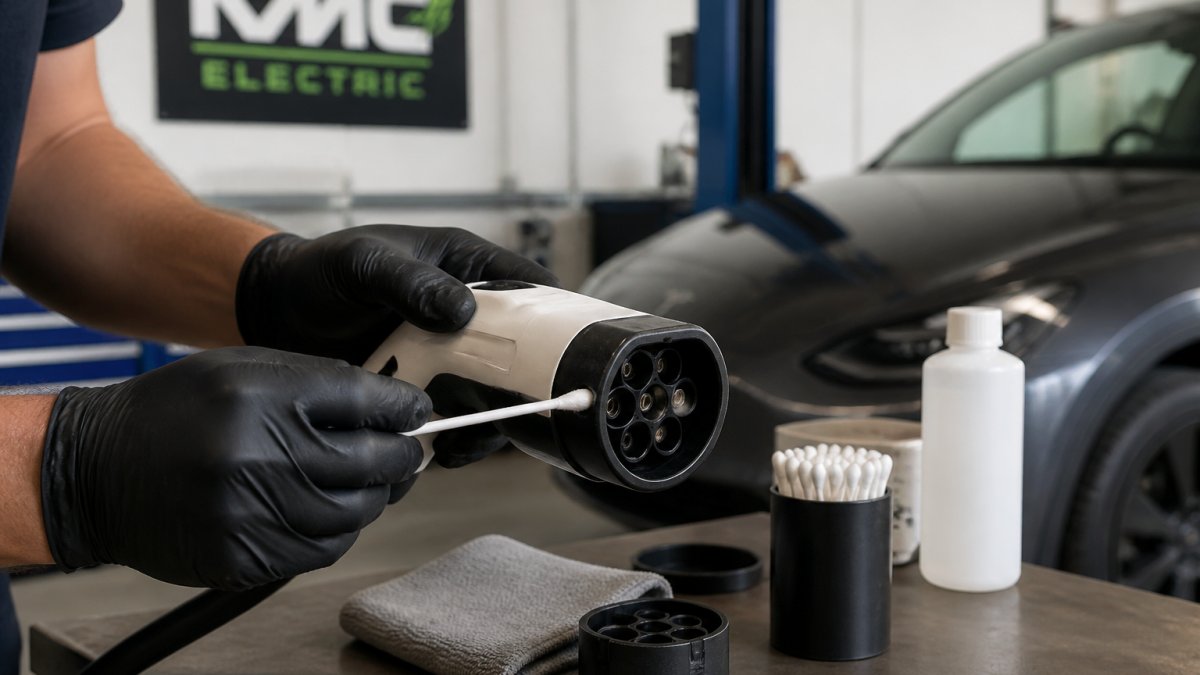
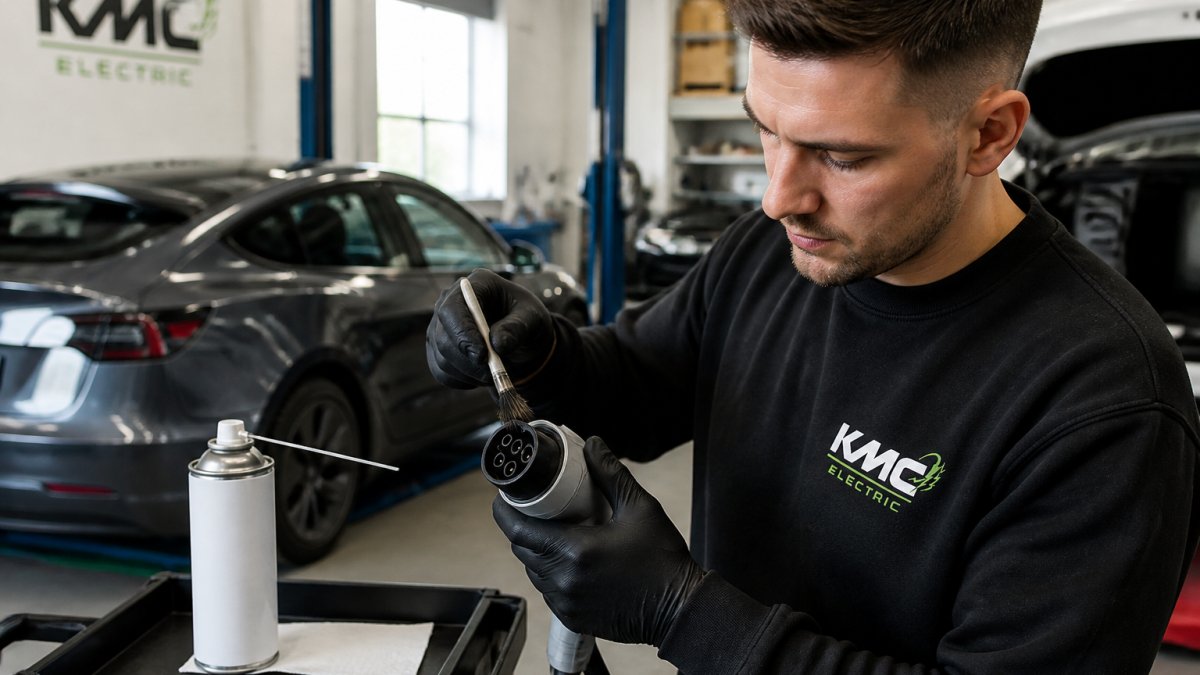
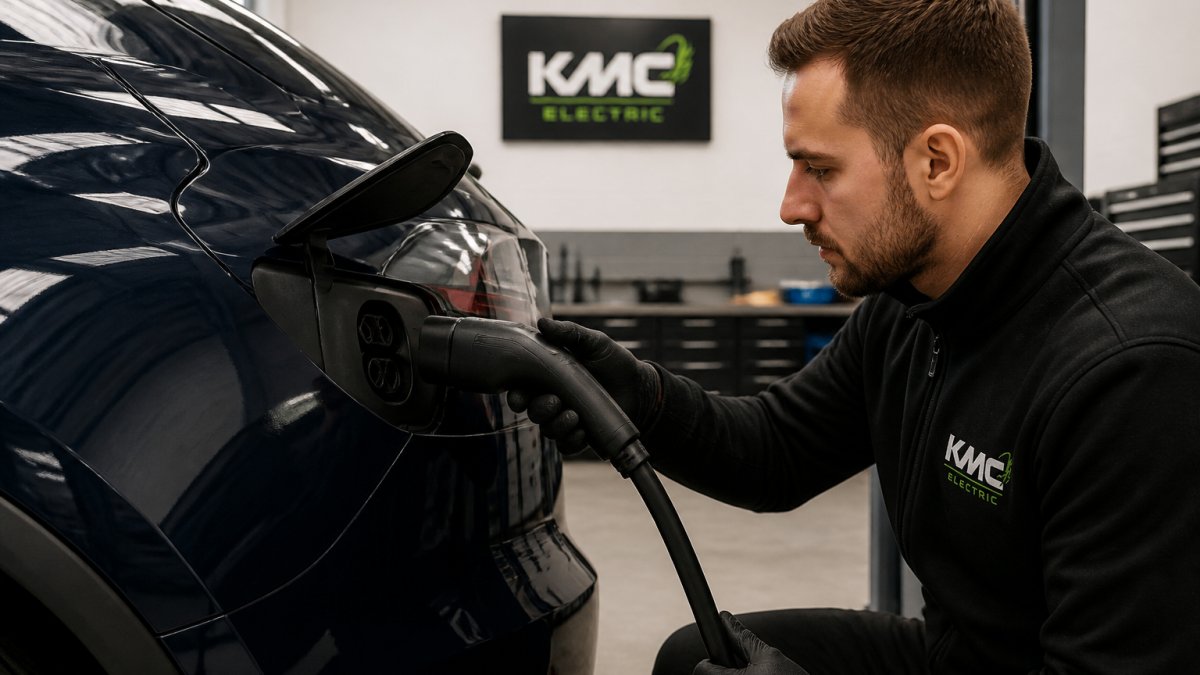
Professional demonstrating how to clean electric vehicle charging pins with soft brush and contact cleaner, showing proper hand positioning and protective technique in well-lit workshop setting
The cleaning process
Step 1: Prepare your vehicle
Park your Tesla on level ground. Turn off the vehicle completely. Make sure the charging port is fully open. Press the button on your touchscreen to open it manually if needed.
Wait 5 minutes. This allows any residual electrical charge to dissipate. Safety first.
Step 2: Inspect the pins closely
Use your torch to look at each pin. Count them (usually 8-10 depending on your model). Look for obvious corrosion, dirt, or debris.
Take a photo on your phone. This helps you remember what you're cleaning and spot any damage you might have missed.
Step 3: Dry brush the pins
Use your soft-bristled brush to gently brush away loose debris. Work from the top of the port downward. Use light pressure. Don't scrub hard.
Brush each pin individually. Rotate your brush to get all sides. Loose dirt should fall out easily.
Step 4: Apply contact cleaner
Spray a small amount of electrical contact cleaner onto a cotton bud. Don't spray directly into the port (liquid can drip inside the vehicle).
Gently wipe each pin with the damp cotton bud. Work slowly. Let the cleaner do the work. You're not trying to polish the pins; you're dissolving corrosion.
For stubborn corrosion, let the contact cleaner sit for 30 seconds before wiping. Then wipe again with a fresh cotton bud.
Step 5: Isopropyl alcohol rinse
Dip a clean cotton bud in isopropyl alcohol. Wipe each pin once more. This removes any residue from the contact cleaner.
Use a dry towel to dab the port gently. Remove excess liquid. Don't poke the towel deep inside the port.
Drying and reassembly
Let the port air-dry for at least 10 minutes. Use your torch to check that everything looks dry. Moisture left inside can cause problems.
Once dry, close your charging port by pressing the button on your touchscreen. Test it by opening and closing it twice to make sure it works smoothly.
Wait 30 minutes before you charge. This gives any remaining moisture time to evaporate completely.
Charge your vehicle normally. The connection should feel smoother and charge faster.
Tesla Model 3 Charging Port Cleaning: Model-Specific Guidance
The Tesla Model 3 charging port is slightly different from the Model Y. This means the pins are smaller and more delicate.
When cleaning your Model 3, use even lighter pressure than you would on other vehicles. The pins are closer together. It's easy to accidentally bend one if you're not careful.
The same process applies: inspect, dry brush, contact cleaner, isopropyl rinse, dry, and test. But move more slowly. Take your time with each pin.
If your Model 3 is still under warranty, check your documentation before cleaning. Some warranties cover charging issues. You might want professional help instead. At KMC Electric in Kettering, we can handle this safely if you prefer.
For Model 3 owners with high mileage or out-of-warranty vehicles, regular cleaning prevents expensive repairs. We recommend checking your charging port every three months if you charge outdoors.
Common Mistakes to Avoid
Mistake 1: Using water
Water causes more corrosion, not less. Tap water contains minerals that speed up oxidation. Distilled water is better but still not ideal. Always use isopropyl alcohol or contact cleaner.
Mistake 2: Scrubbing too hard
The pins are delicate. Aggressive scrubbing bends them or breaks them off. Light pressure is all you need. Let the cleaner do the work.
Mistake 3: Leaving the port wet
Moisture inside the charging port causes electrical problems. Always dry thoroughly before charging. Use a towel to remove visible liquid, then let it air-dry.
Mistake 4: Ignoring severe corrosion
If corrosion is deep or the pins look damaged, stop cleaning. Call a professional. Attempting to clean severely corroded pins can make electrical damage worse.
Mistake 5: Cleaning while the vehicle is on
Always turn your Tesla off completely before cleaning. Residual electrical charge can cause a shock or damage your vehicle's electronics.
Mistake 6: Using the wrong chemicals
General-purpose cleaners, WD-40, or harsh solvents can damage the connector. Stick to electrical contact cleaner or isopropyl alcohol only.
When to Seek Professional Help
Some charging issues need professional diagnosis. If you've cleaned your charging pins and your Tesla still won't charge, something else is wrong.
Signs you need professional help:
Your car won't recognize the charging cable after cleaning
The charging port light doesn't turn on
You see sparks or smell burning when you charge
The pins look physically damaged or bent
Moisture keeps returning to the port
Your vehicle shows a charging error code on the screen
At KMC Electric, we specialise in Tesla diagnostics and repairs. We can identify what's causing your charging problem. If it's not just dirty pins, we'll find the real issue.
We work with Tesla Model 3 and Model Y owners throughout Kettering and Northamptonshire. Many customers come to us because main dealers are expensive and slow. We offer faster turnaround and transparent pricing. We'll tell you exactly what's wrong and what it costs to fix before we start work.
If you're buying a used Tesla and want to know if the charging port is healthy, we offer independent battery health verification. This includes checking the charging system. It's peace of mind before you buy.
Frequently Asked Questions
Can you clean electric vehicle charging pins yourself?
Yes, you can clean EV charging pins yourself for light debris and minor oxidation using isopropyl alcohol and soft brushes. However, if you notice deep corrosion, pitting, or the pins appear damaged, stop immediately and contact a professional. Tesla Model 3 and Model Y owners should be particularly careful around the connector housing. Improper cleaning can damage the pins permanently, leading to charging failures or safety hazards. When in doubt, professional inspection costs far less than replacing a damaged charging port.
How do you know if EV charging pins are damaged or corroded?
Inspect your charging port regularly for white, green, or blue discolouration on the pins, which indicates corrosion. Look for pitting, burnt marks, or visible erosion on the contact surfaces. If pins appear swollen, cracked, or have dark spots that don't wipe away, the damage is likely beyond safe cleaning. Your vehicle may also show warning messages during charging attempts. Any of these signs warrant professional assessment before attempting further use of that charging point.
What should you use to clean EV charging contacts?
Use only isopropyl alcohol (70-90% concentration) and soft, lint-free materials such as microfibre cloths or soft-bristled brushes. Never use water, solvents, or abrasive cleaners, as these can damage the pins or cause electrical hazards. Avoid compressed air, which can force moisture into connectors. For Tesla vehicles, contact cleaner specifically designed for electrical contacts is acceptable if used sparingly. Always ensure the vehicle is switched off and the charging cable is disconnected before cleaning.
Can dirty charging pins stop an electric car from charging?
Yes, dirty or corroded charging pins can prevent proper electrical contact, causing charging to fail or stop mid-session. Your vehicle may display error messages or refuse to accept the charging connector. In some cases, the car recognises the fault and disconnects for safety. This is particularly common with older connectors or vehicles exposed to damp conditions. Regular inspection and cleaning of your charging port helps maintain reliable charging performance and extends the lifespan of both the port and the charging equipment.
Charging issues are stressful, but most of the time the fix is simple. A clean set of pins often solves the problem. If cleaning doesn't work, you need professional help fast. Contact KMC Electric for expert diagnosis of your Tesla's charging system. We'll get you back on the road quickly and keep your vehicle running reliably for years to come.