Why Proper Tesla Storage Matters for Your Battery and Warranty
Getting how to prepare tesla for long term storage right comes down to one thing: a lithium-ion pack that sits at the wrong charge level for months will degrade faster than one that is driven daily. Tesla's own guidance on tesla storage is clear that a plugged-in car manages itself, while an unplugged car left at a high state of charge does not. At KMC Electric, we see the consequences of skipped preparation on a regular basis.
The stakes go beyond convenience. A pack left at 100% for weeks on end accelerates calendar ageing, and that degradation is permanent. It also affects how a warranty claim is assessed, because Tesla can read the pack's charge history remotely. Preparation is not optional housekeeping.
This guide covers the charge level to set, whether to leave the car plugged in, how to handle Sentry Mode drain, tyre pressure, cleaning, software setup and where to park. Every step takes minutes and protects a component that costs thousands to replace.
Tesla Battery Health During Storage: The Ideal Charge Level
The ideal charge level for Tesla storage is around 50%, and Tesla's own owner's documentation recommends keeping a stored car plugged in so the battery management system can maintain that level (tesla.com). Leaving the pack at 100% or below 20% for an extended period is what causes avoidable degradation.
Tesla battery health during storage depends on three variables: state of charge, temperature and time. Of those, state of charge is the one you control completely before you walk away.
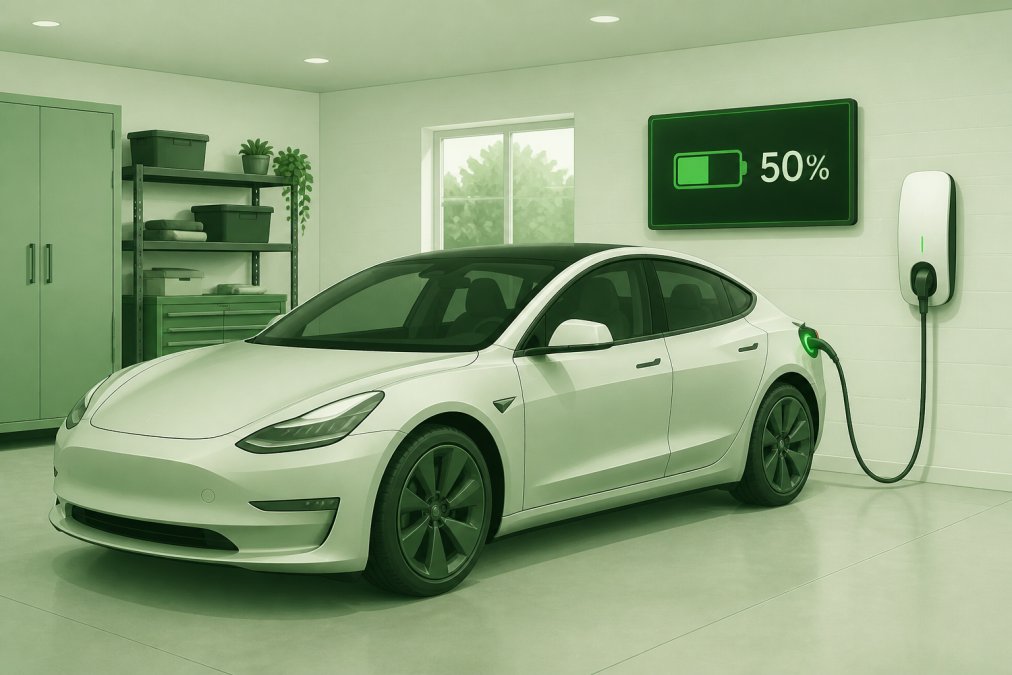
A Tesla Model 3 parked in a clean, dry domestic garage with a charging cable connected to the wall, the charging port light glowing green, and a wall-mounted unit display in the background reading 50%
A practical pre-storage routine looks like this:
Set the charge limit to 50% in the Charging menu
Let the car reach that level before you park it up
Avoid charging to full "just in case" before a trip away
Never leave the pack below roughly 20% for weeks
If you are storing the car for a year or more, expect some capacity loss regardless of what you do. That is normal chemistry, not a fault.
Pro TipIf your car will sit for more than a few months, arrange for someone to drive it occasionally or check the state of charge remotely. A pack that self-discharges into single digits in cold weather is far harder on the cells than one kept near the midpoint.
Should You Leave Your Tesla Plugged In?
Yes, for most owners. Tesla recommends leaving a stored car plugged in, because the car will draw small amounts of power to maintain the pack and run its own systems. An unplugged car left for months can drift down to a low state of charge, and repeated deep discharge shortens pack life.
The exception is a car parked somewhere without power, such as a secure storage unit. In that case, charge to around 50%, switch off everything that draws power, and accept that you will need to check on it periodically.
Managing Tesla Sentry Mode Battery Drain While Away
Tesla Sentry Mode battery drain is the single biggest cause of a stored car losing charge unexpectedly. Sentry Mode keeps cameras and the onboard computer awake, and it can consume a meaningful amount of range every day (tesla.com). Left on for a month, that adds up.
Turn Sentry Mode off before you leave. The same applies to Cabin Overheat Protection, Summon Standby and any third-party app that polls the car. Each one wakes the vehicle and prevents it from settling into a deep sleep state.
You can disable Sentry Mode from the car's Safety menu, or from the mobile app under Controls. If you want the car to remain locked and alarmed without the camera monitoring, that is a reasonable middle ground for a driveway.
Watch OutLeaving Sentry Mode active while the car sits unplugged is the most common mistake we see. Owners return to a car at 5% charge, sometimes lower, and that is exactly the kind of deep discharge that shortens pack life.
Tesla Tyre Pressure for Storage: Preventing Flat Spots
Tesla tyre pressure for storage should be set at or slightly above the manufacturer's recommended figure before the car is parked, because a stationary tyre loaded in one position will develop flat spots over months. Inflating to the upper end of the recommended range reduces the chance of that happening.
Flat spotting is not usually permanent on a modern radial tyre, but it can cause a noticeable vibration for the first few miles after you return. On a heavy electric car, the effect is more pronounced than on a comparable petrol model.
A few practical steps:
Inflate to the recommended pressure shown on the door pillar label
Add a small margin if the car will sit for six months or more
Move the car slightly every few weeks if someone can do it
Check pressures again before your first drive back
If the car is going into storage for a very long period, some owners use axle stands to take the load off the tyres entirely. That is a decision worth discussing with a specialist, because lifting points on a Tesla need care.
Physical Preparation: Cleaning, Covers, and Environmental Checks
Clean the car thoroughly before storage, inside and out, and deal with any existing damage first. Dirt holds moisture against paint, and food debris or spills inside attract pests. A car stored dirty will not come out of storage in the same condition it went in.
Work through this checklist before you lock up:
Wash and dry the exterior, including the wheel arches
Apply a protective wax or sealant if the car will sit for months
Vacuum and wipe down the interior, and remove all food
Check for stone chips and touch them in
Clear the drain channels around the frunk and boot
Fit a breathable indoor cover if the car is garaged
Check for damp, leaks or rodent access in the storage space
On location, a dry, well-ventilated garage is ideal. Damp garages cause corrosion on brake discs and suspension components, and a car with a breathable cover fares better than one with a plastic sheet over it (hse.gov.uk).
Software, Connectivity, and Charging Equipment Setup
Software and connectivity settings matter more than most owners expect, because a connected car never fully sleeps. Before storage, decide how much connectivity you actually need and switch off the rest.
Useful steps:
Install any pending software updates before parking, so the car is not trying to update itself mid-storage
Turn off Wi-Fi if the car does not need it
Disable any third-party apps that wake the vehicle
Check that your home charging equipment is working correctly
Confirm the charging cable and connector are in good condition
Note the car's state of charge so you can compare it later
If you are using a wall connector, leave it connected. If you rely on a three-pin domestic supply, be aware it will charge slowly and is best reserved for maintaining a level rather than recovering one.
Key TakeawayThe car's own battery management system does most of the work, but only if you let it sleep. Every app, camera and standby feature you leave running takes that control away.
Where to Store Your Tesla in Kettering and Northamptonshire
A dry, secure garage is the best option for storing a Tesla in Kettering, and Northamptonshire owners with access to a well-ventilated unit or a private driveway with power will find storage far simpler than those relying on unpowered locations. The region's damp winters make ventilation the priority.
If you do not have off-street parking with power, a secure storage facility with a charging point is worth the cost. Failing that, prepare the car as thoroughly as possible, charge to around 50%, disable everything that draws power, and arrange for someone to check it.
Owners searching for "Tesla storage near me" often overlook one thing: the car needs to be inspected after storage, not just before. Brake discs, tyres, fluid levels and the pack itself all benefit from a check before you return to normal driving.
Conclusion: Securing Your Tesla's Condition with KMC Electric
Storage is the easy part. Knowing whether your pack came through it intact is where most owners are flying blind, and that matters most if the car is approaching the end of its warranty or you are buying a used example.
KMC Electric provides independent battery health verification, specialist diagnosis across all Tesla models, and practical fixes for out-of-warranty vehicles. With Level 4 Master Technician status in electric vehicles since 2016 and more than 25 years in the automotive industry, the team can identify faults before they become expensive repairs and give you a straight answer on a pack's condition.
Get started with KMC Electric and put your Tesla into storage knowing it will come out in the same shape it went in.
Frequently Asked Questions
What is the ideal battery percentage for storing a Tesla long-term?
For long-term storage, Tesla recommends keeping the battery between 50% and 60%. This range minimises stress on the cells and reduces the rate of degradation. Avoid leaving it at 100% or letting it drop below 20% for extended periods, as both extremes can harm the battery over time. If you are storing for several months, check the charge level every few weeks via the Tesla app and top up as needed.
Should I leave my Tesla plugged in while away for a month?
Yes, leaving your Tesla plugged in is safe and recommended for long-term storage. The car will manage the charge level automatically, drawing power only when needed to maintain the set limit. However, ensure you are using a reliable power source and consider setting the charge limit to 50-60%. If you cannot leave it plugged in, monitor the battery remotely and arrange for someone to charge it if it drops below 20%.
How do I prevent tyre flat spots when storing a Tesla?
To prevent flat spots, inflate your tyres to the recommended pressure for storage, which is typically a few psi higher than normal driving pressure. You can find the exact specification in your owner's manual. Alternatively, use tyre cradles or move the car slightly every few weeks to change the contact patch. If storing for many months, consider jacking the car up so the tyres are off the ground, but only if you have proper supports.
What should I do with Sentry Mode when storing my Tesla?
Disable Sentry Mode before storing your Tesla. Sentry Mode continuously draws power from the battery, which can lead to significant drain over weeks or months. Even in a secure garage, it is unnecessary. Turn it off via the car's touchscreen or the Tesla app. Also disable any third-party apps that might wake the car, as these can also cause battery drain.